Get a Free Quote

Our representative will contact you soon.
Email
Name
Mobile
Company Name
Message
0/1000
siemens 6av3607 1jc20 0ax2 simatic op7 dp operator panel-0

SIEMENS

Home >  Products >  SIEMENS

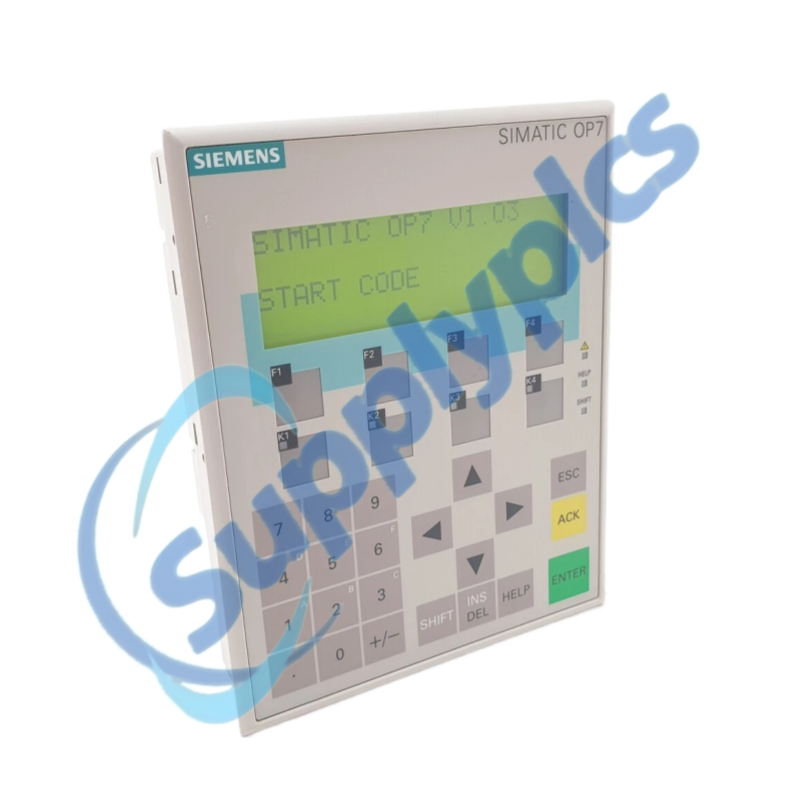
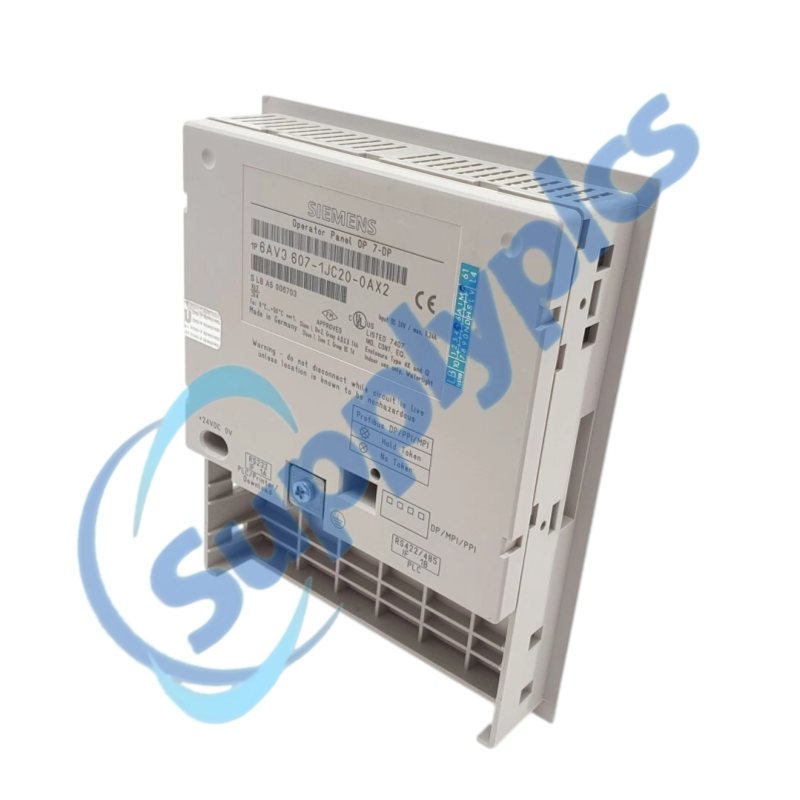
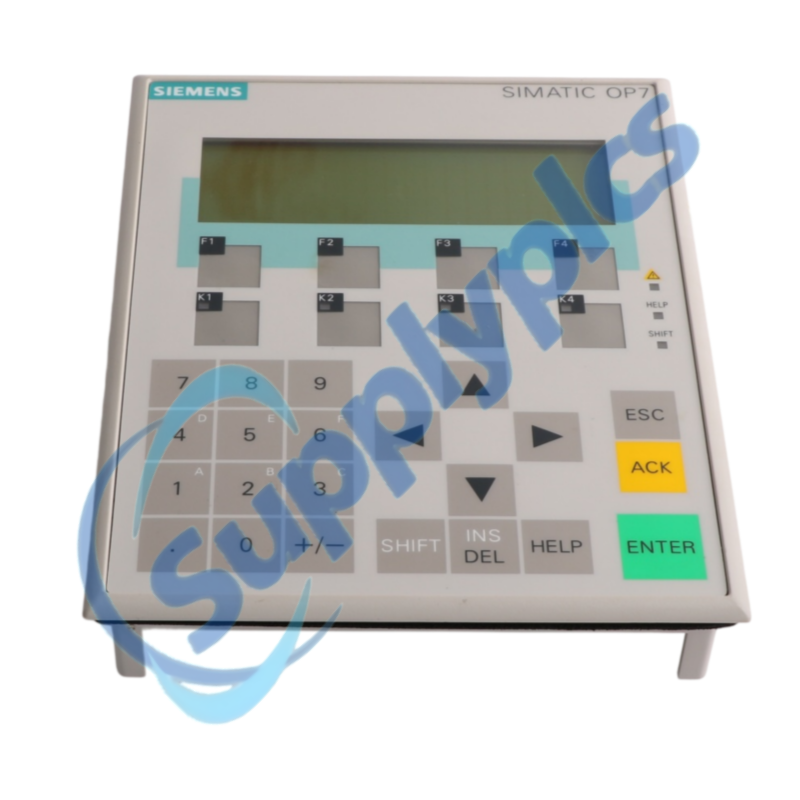
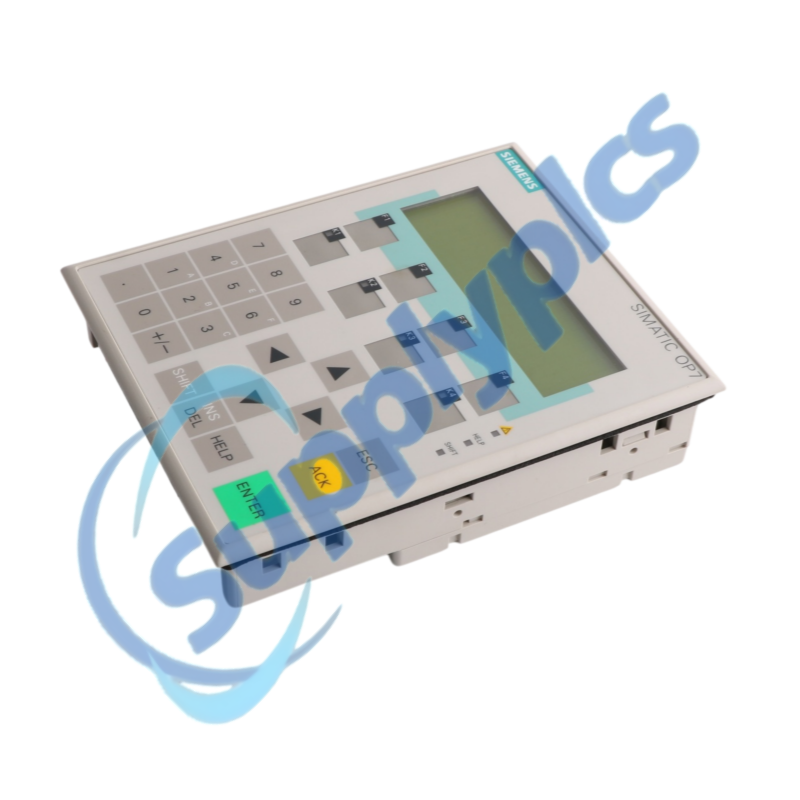
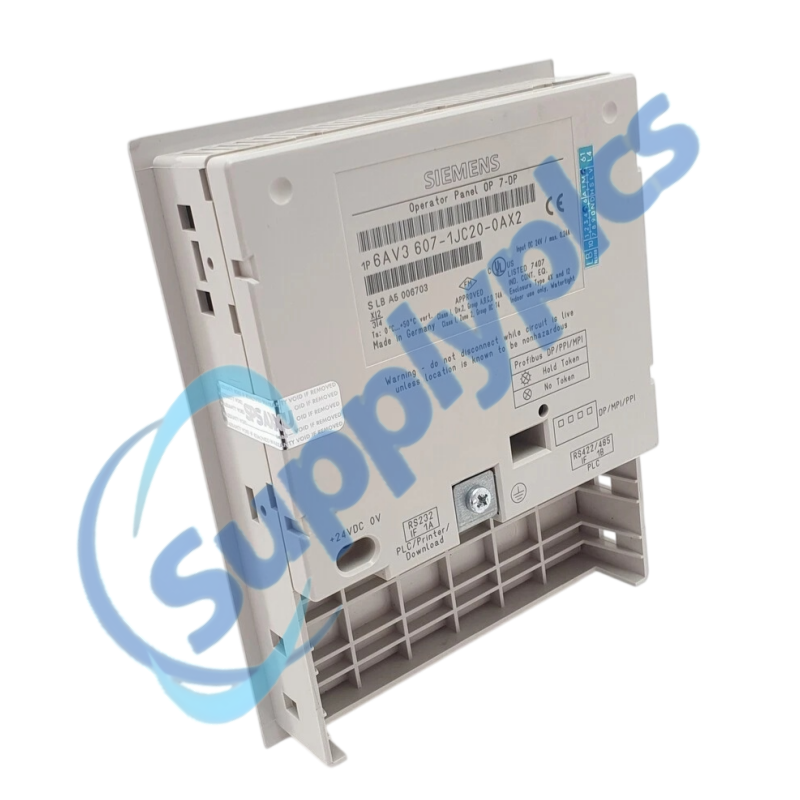
Siemens 6AV3607-1JC20-0AX2 SIMATIC OP7/DP Operator Panel

Product Name: SIMATIC OP7/DP Operator Panel
Brand Name: Siemens
Model Number: 6AV3607-1JC20-0AX2
Place of Origin: Germany
Warranty: 12 Months
Whatsapp: +86 18020776782
Appurtenance:
  • Overview
  • Integration Guide
  • Specifications
  • Commercial Term
  • Contact info
  • FAQ
  • Other Products
  • Recommended Products
Legacy four-line operator panel for SIMATIC S7, M7 and PROFIBUS-DP systems
The OP7/DP is an LED-backlit text operator panel with four lines of 20 characters and PROFIBUS-DP communication up to 1.5 Mbaud for established SIMATIC installations.
Replacement check: This is an end-of-life spare with no direct Siemens replacement. Confirm the original project, DP parameters, panel cutout, interface wiring and a working backup before ordering.

Integration Guide

The OP7/DP supports operator input, event and alarm messages, screens, password protection and PLC-linked process values. The installed ProTool project defines the actual application and communication behavior.
Replacement work should preserve the machine project, controller data areas, station address and cable termination. A visually similar panel is not necessarily electrically or programmatically compatible.
Configuration and programming
A complete project archive is the most important prerequisite for a controlled replacement.
Project archive
Preserve the ProTool project, messages, screens, passwords, recipes and controller data-area definitions.
DP parameters
Record the station address, baud rate, connector termination and controller hardware configuration.
Offline test
Load and test the configuration offline before connecting the replacement to the live PLC.
Installation and acceptance
Protect the machine wiring and panel opening during removal and recommissioning.
Mechanical fit
Measure the existing cutout and verify clamping, front clearance, depth and gasket condition.
Wiring record
Label and photograph power, programming and PLC connectors before disconnection.
Acceptance
Test display contrast, all keys, message acknowledgment, PLC values and bus-fault indication before release.

Specifications

Product type designation
SIMATIC OP7/DP operator panel
Order number
6AV3607-1JC20-0AX2
Display
LC display with LED backlighting
Text presentation
4 lines × 20 characters
Controller families
SIMATIC S7 and M7
Fieldbus
PROFIBUS-DP up to 1.5 Mbaud
Approvals
UL / CSA
Operating voltage
24 V DC
Panel mounting
Control cabinet or console installation
Packaging dimensions
18.8 × 15.4 × 5.3 cm
Net weight
Approximately 0.498 kg
Lifecycle
End of product lifecycle; no direct replacement

Commercial Term

Quotation
Current price and availability
Payment
T/T or agreed terms
Lead time
Confirmed with quotation
Shipping
DHL, FedEx, UPS or agreed freight
Warranty
12 months

Contact info

FAQ

Q1
How should I verify that 6AV3607-1JC20-0AX2 matches the installed operator panel?
Compare the complete order number, OP7/DP interface, 1.5 Mbaud PROFIBUS requirement, panel cutout, 24 V DC wiring and the available ProTool project. Confirm the controller configuration before purchasing.
Q2
What should I back up before replacing 6AV3607-1JC20-0AX2?
Secure the ProTool project and all machine-specific messages, screens, passwords and recipes. Record the DP address, baud rate, controller data areas and cable-termination state, and photograph each connector.
Q3
Why can 6AV3607-1JC20-0AX2 power up while the bus-fault indicator remains active?
Check the DP address, baud rate, connector termination, cable shielding and controller hardware configuration. Confirm that the correct project and interface parameters were loaded before replacing the panel.
Q4
How should I commission 6AV3607-1JC20-0AX2 without interrupting the working PLC program?
Prepare and verify the project offline, place the machine in a safe maintenance state and connect the panel according to the original drawings. Test communication and operator functions before returning control to production.
Q5
What should I inspect when the display or keys of 6AV3607-1JC20-0AX2 respond intermittently?
Check 24 V DC stability, protective-earth bonding, connector seating, cabinet temperature, contamination and mechanical stress on the front panel. Record whether the fault follows heat, vibration or specific keys.
Q6
Which details should I provide when requesting a spare 6AV3607-1JC20-0AX2?
Provide the exact order number, project software and version, controller type, DP address and baud rate, panel-cutout dimensions and clear photos of the front, nameplate and connectors. State whether tested refurbished stock is acceptable.

Other Products

HBW4PER2
C4-DR-PSU-M
ATB5D-00
MPPIO-T0258
ABB PNU32.0/1SAJ263000R0100
API-AMC2-16IOE F01U013385
SMART-G4 SB-DIM6C2A-DN
CBS-4C-RA CBS-4
ETHI1F4p1C 4x10/100/1000
XPIQ-AA 2270、XPIQ-2270
AMP 201
190613
ROUT 190617
2901417 PSR-SPP-42-48UC/ESAM4/3x1/1X2B
API-AMC2-16IE
EZ-SMX-IDC-E
LNC3
E216B/9
E14M 1Gb RJ-45
EP1502 103830 REV:1.22.9
XPR-A ST/N/04
PD 24-8 050099114000
CP-168EL-A
0563 0470
mt3025 POL965.00/MCQ
ETHI1F4p1C
XPIQ-2270
A/M-AOUT 190613
KL-120
CP-168EL-A RS-232

Get a Free Quote

Our representative will contact you soon.
Email
Name
Mobile
Company Name
Message
0/1000

Get a Free Quote

Our representative will contact you soon.
Email
Name
Mobile
Company Name
Message
0/1000