Get a Free Quote

Our representative will contact you soon.
Email
Name
Mobile
Company Name
Message
0/1000
siemens 6gk5201 3jr10 2ba6 scalance x201 3p irt pro managed switch-0

SIEMENS

Home >  Products >  SIEMENS

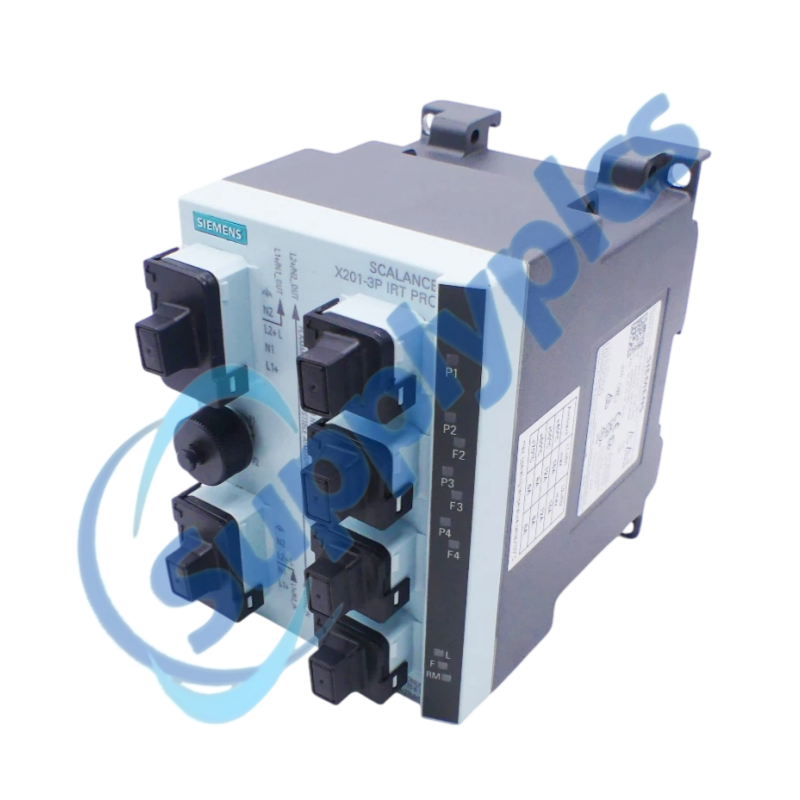
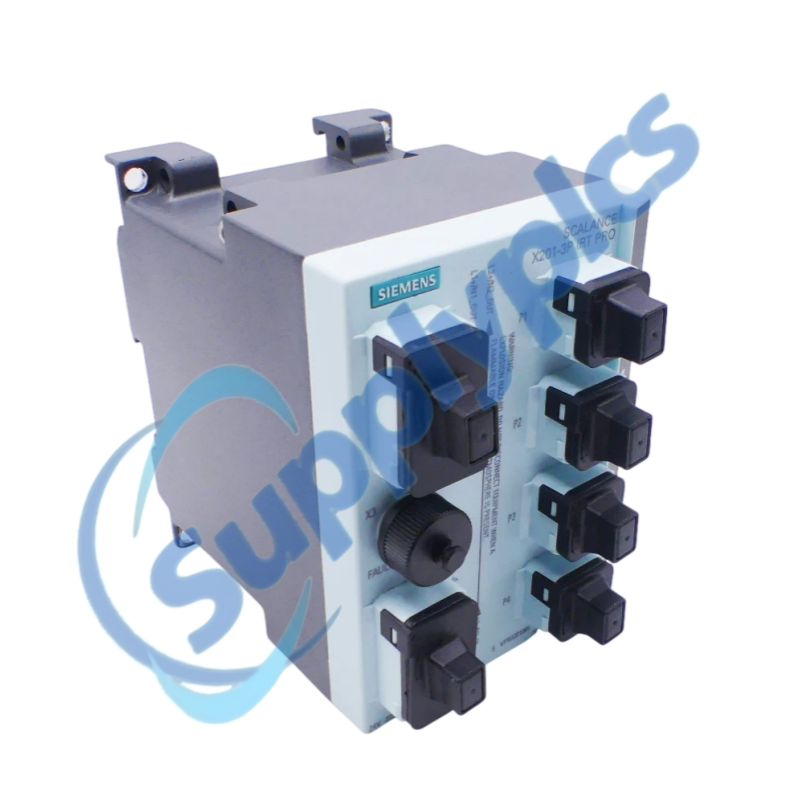
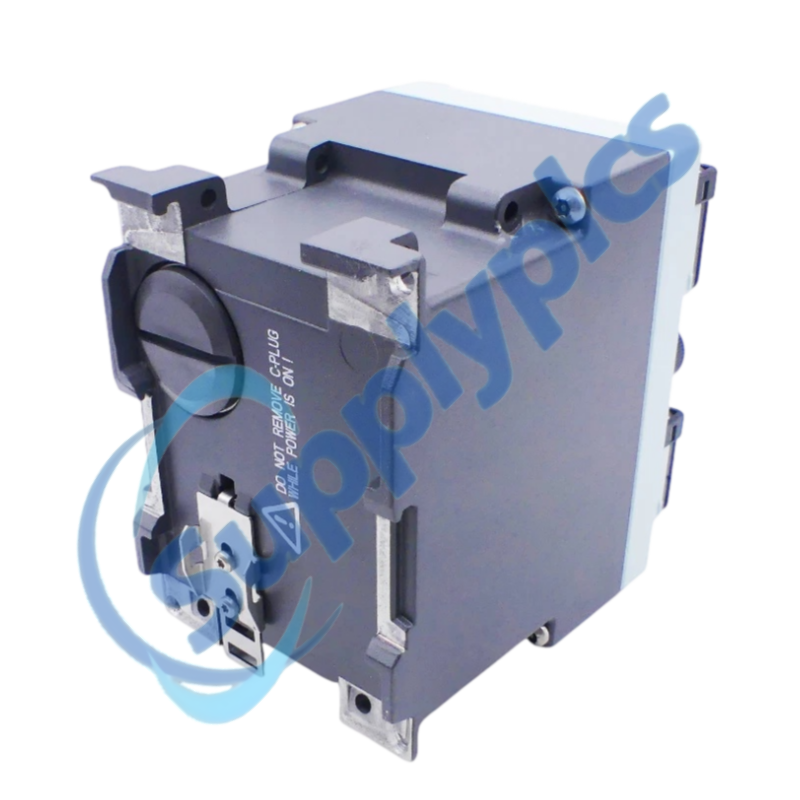
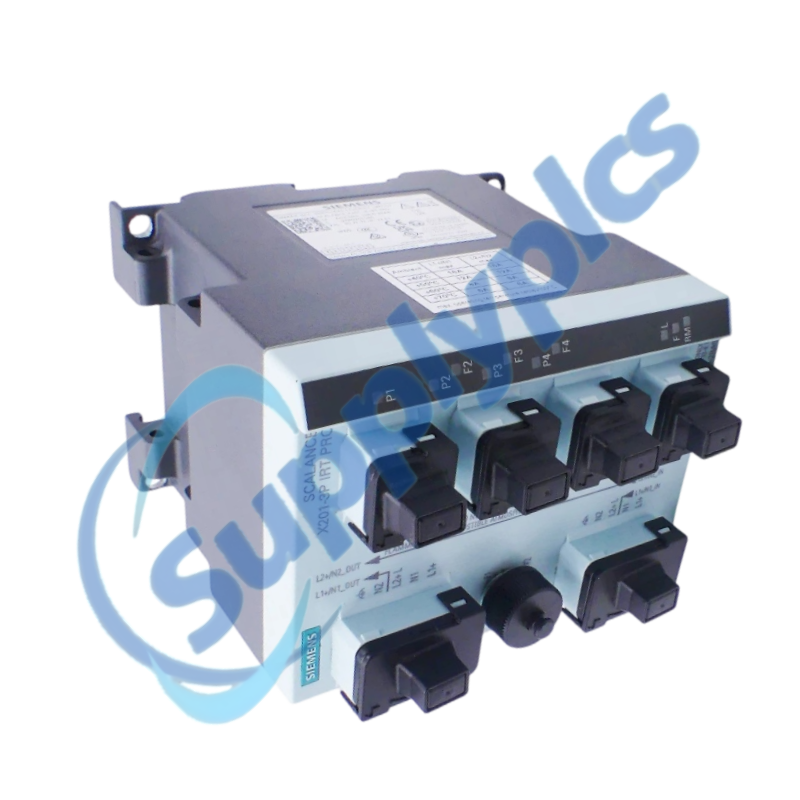
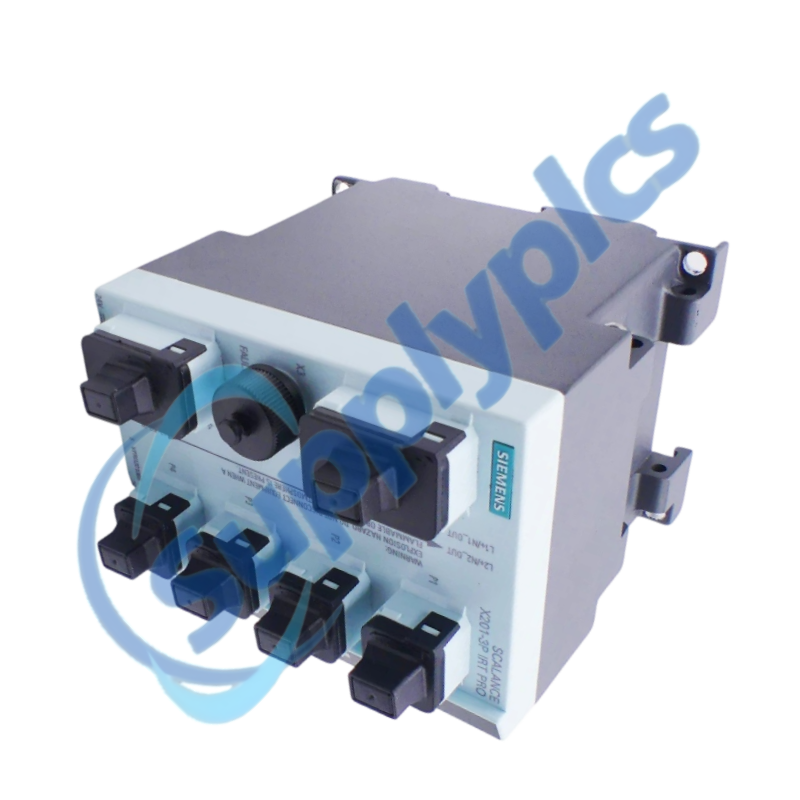
Siemens 6GK5201-3JR10-2BA6 SCALANCE X201-3P IRT PRO Managed Switch

Product Name: SCALANCE X201-3P IRT PRO Managed Switch
Brand Name: Siemens
Model Number: 6GK5201-3JR10-2BA6
Place of Origin: Germany
Warranty: 12 Months
Whatsapp: +86 18020776782
Appurtenance:
  • Overview
  • Specifications
  • Integration
  • Commercial Term
  • Contact info
  • FAQ
  • Other Products
  • Recommended Products
Rugged IP65/67 PROFINET IRT switching with copper and polymer-optical links
The SCALANCE X201-3P IRT PRO is a field-mounted managed Industrial Ethernet switch with one 10/100 Mbps push-pull RJ45 interface and three 100 Mbps push-pull SC RJ/POF optical interfaces.
Selection checkpoint: Match the push-pull connector system, polymer-optical cable, IRT topology, 24 V DC feed and existing C-PLUG strategy before ordering.

Specifications

Product type designation SCALANCE X201-3P IRT PRO
Order number 6GK5201-3JR10-2BA6
Copper interface 1 × 10/100 Mbps push-pull RJ45
Optical interfaces 3 × 100 Mbps push-pull SC RJ/POF
Optical medium Polymer optical fiber or PCF
Operating voltage 24 V DC
Network role Managed PROFINET IRT switch and PROFINET IO device
Redundancy Integrated redundancy manager functions
Configuration memory Optional C-PLUG
Degree of protection IP65 / IP67
Net weight Approximately 1.225 kg
Lifecycle Active product

Integration

Product Scope
This managed switch is intended for machine-level PROFINET networks that need deterministic IRT communication and a rugged IP65/67 housing close to the equipment.
Integrated PROFINET IO diagnostics, network management, redundancy functions and an optional C-PLUG support structured commissioning and replacement when the original configuration is preserved.
Communication & Connectivity
Preserve both the physical port plan and the managed network configuration.
IRT path
Confirm which automation devices depend on real-time traffic before moving any copper or optical link.
Optical match
Verify the installed POF or PCF cable, connector condition, transmit direction and link budget.
Diagnostics
Use PROFINET IO status, port LEDs and the signaling contact to separate wiring faults from configuration faults.
Configuration & Programming
A prepared replacement reduces commissioning time and topology errors.
Backup
Export the switch configuration and record the device name, IP settings, VLAN or redundancy settings and port assignments.
C-PLUG
If a C-PLUG is installed, confirm its condition and compatibility before transferring it to another device.
Acceptance
After replacement, verify controller communication, IRT operation, redundancy and each optical link under normal load.

Commercial Term

Quotation
Current price and availability
Payment
T/T or agreed terms
Lead time
Confirmed with quotation
Shipping
DHL, FedEx, UPS or agreed freight
Warranty
12 months

Contact info

FAQ

Q1
How should I confirm that 6GK5201-3JR10-2BA6 matches the installed PROFINET IRT network?
Compare the exact order number, push-pull connector types, copper and optical port count, cable medium, IRT requirements, protection class and 24 V DC wiring with the machine documentation.
Q2
Why can an optical port remain down after replacing 6GK5201-3JR10-2BA6?
Confirm that the installed link uses the supported POF or PCF medium, clean and reseat both optical connectors, check transmit and receive orientation and inspect the remote port. Review port diagnostics before changing the switch configuration.
Q3
What should I back up before replacing 6GK5201-3JR10-2BA6 in a running machine?
Save the switch configuration and record the PROFINET device name, IP parameters, port map, redundancy role and any managed settings. If a C-PLUG is used, document its status and transfer procedure.
Q4
What should I check if 6GK5201-3JR10-2BA6 powers up but the controller reports a device fault?
Verify the PROFINET device name and controller assignment, then compare the expected topology with the actual port connections. Check supply quality, signaling contact, link LEDs and controller diagnostics.
Q5
How should I diagnose an intermittent connection through 6GK5201-3JR10-2BA6?
Inspect push-pull latching, cable bend radius, optical contamination, vibration, 24 V DC stability and protective-earth bonding. Correlate port counters and alarms with machine cycles before replacing hardware.
Q6
Which details should I provide when requesting a quotation for 6GK5201-3JR10-2BA6?
Provide the exact order number, firmware if known, machine topology, cable medium, required IRT and redundancy functions, C-PLUG status and photos of the connectors and nameplate.

Other Products

FC-Tsai-1620M
PSR-SPP-42-48UC/ESAM4/3x1/1X2B
R766134
711-026017 R07 EX-UM-2X4SFP EX4200
116-010084D
S90-P41110200
QS9210-0G09-784
MTK15 / LNL-MTK15-G
WTS3B4BME/N
LV430/LV830
LEMO14(10m)LDO-BB 32510.10
SWP-99-2128-1-4-00
UNICON-P-1-4-3-06
ABB 2CDG110071R0011
ABB 1SDA066317
GE IC655BEM500B
1006-24030---00
IO113 98097390
SXWPS24VX10001
GN50
ABB 020/A
P32LA93LSNN
GVAG-2VK1S 40/40 R1"/VA4305/V4A 4571/M20
PC240 H-7PCRD0894A CDK-155
S4-911
GE CL45D300M 295168
ESA047010 SM87HXB
S7-1500 6ES7522-1BL01-0AB0
ABB 6197/13-101-500
LSS 96K-1070-43 LEUZE 50025254

Get a Free Quote

Our representative will contact you soon.
Email
Name
Mobile
Company Name
Message
0/1000

Get a Free Quote

Our representative will contact you soon.
Email
Name
Mobile
Company Name
Message
0/1000