 EN
EN

Introduction
Expanding an existing control system is an attractive idea until it meets a cabinet. A PACSystems RX3i I/O expansion promises more points, more signals, and more capability, and the catalogue makes it look straightforward. The cabinet, however, has its own opinion, and it expresses that opinion in three currencies: space in the rack, capacity in the power budget, and support in the documentation. An expansion that ignores any one of these will be discovered during commissioning, which is the most expensive possible moment to discover it.
This article explains how to approach a PACSystems RX3i I/O expansion as a documentation task. It does not state what any rack can hold, what any supply can deliver, or which modules are supported, because those answers live in the manuals and in the records for the specific installation. It does not conclude that any module will fit, and it does not suggest that a spare part can be substituted for a designed one. What it does is describe the questions to ask, the evidence to gather, and the order in which to gather it, so that a PACSystems RX3i I/O expansion is planned against reality rather than expectation.
What I/O Expansion Actually Involves
Expansion is rarely a matter of adding a single card. It usually involves a new module in a new slot, a change to the way the rack is populated, an adjustment to the power drawn from the supply, and a corresponding update to the documentation that describes the station. Each of those elements has its own evidence, and each must be checked before the next is considered.
Thinking of a PACSystems RX3i I/O expansion as a chain of checks rather than a single purchase changes how the work is planned. Instead of ordering a module and hoping it fits, the team establishes what space exists, what the power arrangement allows, and what the documentation describes, and only then defines the item to be sourced. That sequence is the substance of any sensible PACSystems RX3i I/O expansion, and it is what keeps an expansion from turning into a redesign. The order of the checks matters as much as the checks themselves, because each answer narrows the field for the next. Framed this way, a PACSystems RX3i I/O expansion is a sequence of verified answers rather than a single hopeful purchase.
Rack Space: Count Slots, Not Expectations
The first check is physical. How many slots does the rack have, how many are occupied, and how many are genuinely free? Answer these questions by looking at the hardware and by photographing it, not by consulting an old drawing whose accuracy has never been tested.
Note the position of every installed module, including blanks and fillers, and note the position of the supply and any carrier or backplane elements. Photograph the rack from the front and, where possible, from an angle that shows the depth and the seating of the modules. This evidence forms the spatial half of a PACSystems RX3i I/O expansion review, and it is the half that cannot be argued with later.
Consider also the practical constraints that a slot count does not capture: access for wiring, routing space for cables, and the physical room needed to work on a module once it is installed. A slot that is technically free may be awkward to use, and knowing that before the order is placed is worth the walk to the cabinet. Recorded thoroughly, the spatial evidence gives a PACSystems RX3i I/O expansion its first solid footing.
Power Budget: A Question for the Documentation
Adding modules adds load, and the question of whether the existing arrangement can carry that load is answered by documentation and by qualified assessment, not by rule of thumb. Locate the manual sections that describe the power arrangement for the rack and its components, and read them before forming any plan.
Record how the rack is presently powered, how many supply elements are in use, and how the modules are distributed across the rack. Note the arrangement as a description, and note which manual describes the relevant limits. Do not attempt to determine from a catalogue summary whether a particular module can be added; that determination requires the documentation and, where appropriate, a qualified engineer.
The value of this step in a PACSystems RX3i I/O expansion is that it happens early. Discovering a power limitation after a module is delivered is far more disruptive than discovering it while the plan is still on paper, and the documentation that answers the question is usually already in the plant. Handled at the planning stage, this question keeps a PACSystems RX3i I/O expansion on a sound footing.
Module Support: What the Manual Describes
Support is the third element, and it is the one most often confused with availability. Whether a module is supported in a given rack, in a given position, and with a given combination of surrounding hardware is a question for the manufacturer's documentation. Whether a supplier happens to list that module is a different question entirely, and the two should never be merged.
Gather the manual passages that describe the module you are considering, and note what they say about its use. Where the documentation is silent, or where it points to further references you do not hold, record that gap rather than filling it with an assumption. A PACSystems RX3i I/O expansion that is built on documented support is defensible; one built on a catalogue listing is not. Documented support is what allows a PACSystems RX3i I/O expansion to be defended to an auditor or a colleague.
Keep the language precise. It is entirely appropriate to write that the documentation describes certain conditions, and to leave the conclusion about your specific installation to the engineers responsible for it.
Backplane, Carriers and Physical Support
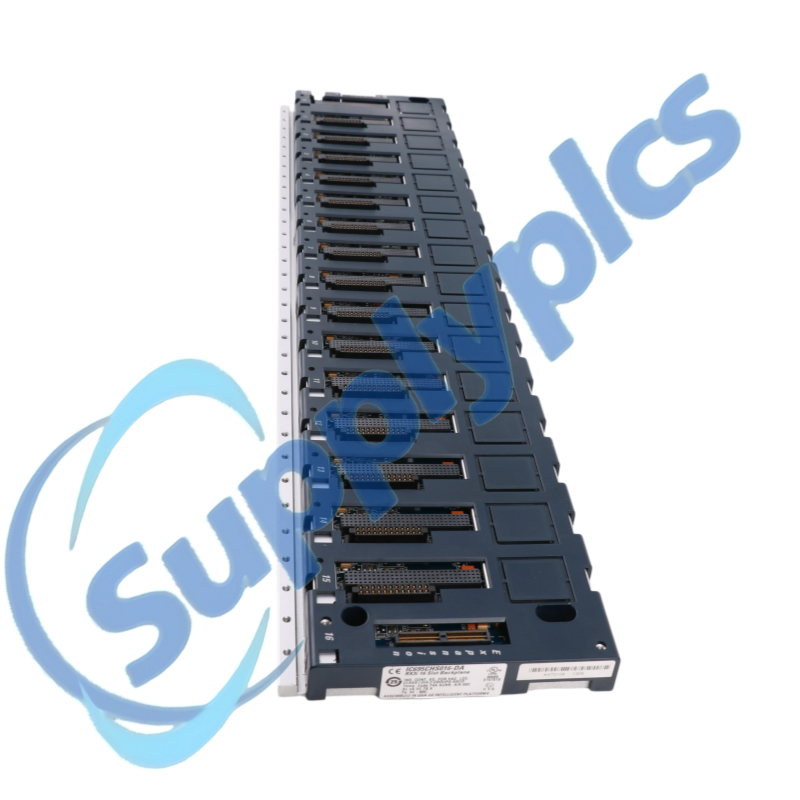
Modules do not float; they sit in something. Identify the backplane or carrier arrangement that the rack uses, and record its order number and its visible condition. Note how modules seat into it and how many positions it provides.
Photograph the backplane area, including any labelling, and record whether it appears complete and undisturbed. Where an expansion would involve adding a further carrier or extending the existing arrangement, record that as a distinct item to be checked, with its own documentation and its own order number. A carrier treated as an afterthought is exactly the kind of omission that stalls a PACSystems RX3i I/O expansion at the worst possible moment. Treating carriers and backplanes as implicit parts of a PACSystems RX3i I/O expansion is a common source of omissions, and listing them explicitly removes that risk.
Anonymous Scenario Example
Illustrative anonymous scenario, not a Supplyplcs customer project.
In November 2023, an engineering team at a utilities site in Dubai, United Arab Emirates, was planning an expansion of a PACSystems RX3i installation. The original station had been commissioned with spare capacity in mind, and the assumption within the team was that adding the new I/O would be a matter of inserting modules into free slots.
Before ordering anything, the team spent an afternoon with the cabinet and the manuals. They counted the occupied and free positions, noting that two apparently free slots were partly obstructed by cable routing. They read the power sections of the documentation and recorded the present distribution of modules rather than relying on memory of the original design. They also confirmed, from the manuals, how each module they intended to use is described for that rack. The outcome was a written PACSystems RX3i I/O expansion plan that listed exactly which slots were usable, which documentation supported each item, and which questions remained open. No part was ordered until those questions had answers, and the plan was signed off by the site engineer before any purchase was raised.
A Verification Checklist
Work through the following checklist before ordering anything.
- Count the rack's slots and record which are occupied.
- Number the positions and photograph the rack in place.
- Note blanks, fillers, and any obstructed positions.
- Record access and routing constraints for each candidate position.
- Identify the backplane or carrier and record its order number.
- Note the visible condition of the backplane area.
- Describe how the rack is presently powered.
- Locate the manual sections that describe the power arrangement.
- Identify the documented support for each module considered.
- Record any documentation gap rather than assuming an answer.
- Note which assessments require a qualified engineer.
- List carriers or extensions as separate items if they are involved.
- Gather the relevant manual pages and system documentation.
- Compile everything into one dated plan before purchasing.
Worked through carefully, the checklist turns a PACSystems RX3i I/O expansion into a documented plan with identifiable open questions, and it ensures that no element of the expansion is assumed rather than verified.
Working With a Spare Parts Supplier
Once the plan identifies the items to be sourced, the enquiry can be prepared. Provide the complete order numbers of the modules and carriers involved, the quantities, and clear photographs of the nameplates and the installed positions. Submit the full model number and photos of each item and its nameplate to request a quotation.
When you approach Supplyplcs, an industrial automation spare parts supplier, the completeness of your submission determines how useful the response can be. Supplyplcs is a spare parts supplier; it does not perform engineering assessments and does not decide whether a module is supported in your rack. Questions of condition, availability, and timing are confirmed through the quotation or the order itself, never assumed beforehand.
A documented PACSystems RX3i I/O expansion plan makes that exchange straightforward. The numbers and photographs are already assembled, the scope is already defined, and the supplier is answering a precise question rather than interpreting a vague one. That is why the GE PACSystems RX3i catalogue is easier to navigate when your own documentation is in order. A PACSystems RX3i I/O expansion request that carries the rack record, the module list, and the drawings is one a supplier can act on immediately, because the scope is already defined.
Conclusion
An expansion plan is a series of questions answered in the right order. Rack space is answered by counting and photographing. Power is answered by the documentation and, where needed, by a qualified engineer. Support is answered by the manuals, not by a listing. Each answer feeds the next, and together they define what may responsibly be ordered.
Approach a PACSystems RX3i I/O expansion this way and the plan describes reality. Skip the questions and the cabinet will raise them later, at a less convenient time and at greater cost. Do the work first, keep the record dated and honest, and the PACSystems RX3i I/O expansion proceeds on evidence rather than hope. Expansion is often postponed because the questions look difficult, yet the questions themselves are simple; it is the assumptions that make them hard. A written plan is also a communication tool, allowing an engineer, a planner, and a supplier to work from the same description instead of three different impressions.
Table of Contents
- Introduction
- What I/O Expansion Actually Involves
- Rack Space: Count Slots, Not Expectations
- Power Budget: A Question for the Documentation
- Module Support: What the Manual Describes
- Backplane, Carriers and Physical Support
- Anonymous Scenario Example
- A Verification Checklist
- Working With a Spare Parts Supplier
- Conclusion