Get a Free Quote

Our representative will contact you soon.
Email
Name
Mobile
Company Name
Message
0/1000
siemens 6av2124 0jc01 0ax0 simatic hmi tp900 comfort panel-0

SIEMENS

Home >  Products >  SIEMENS

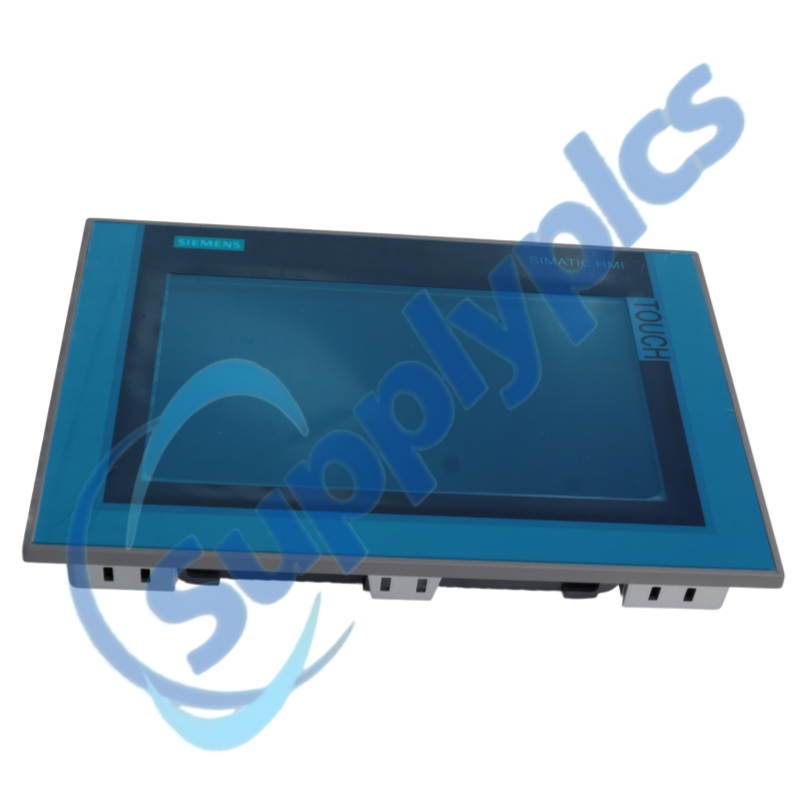
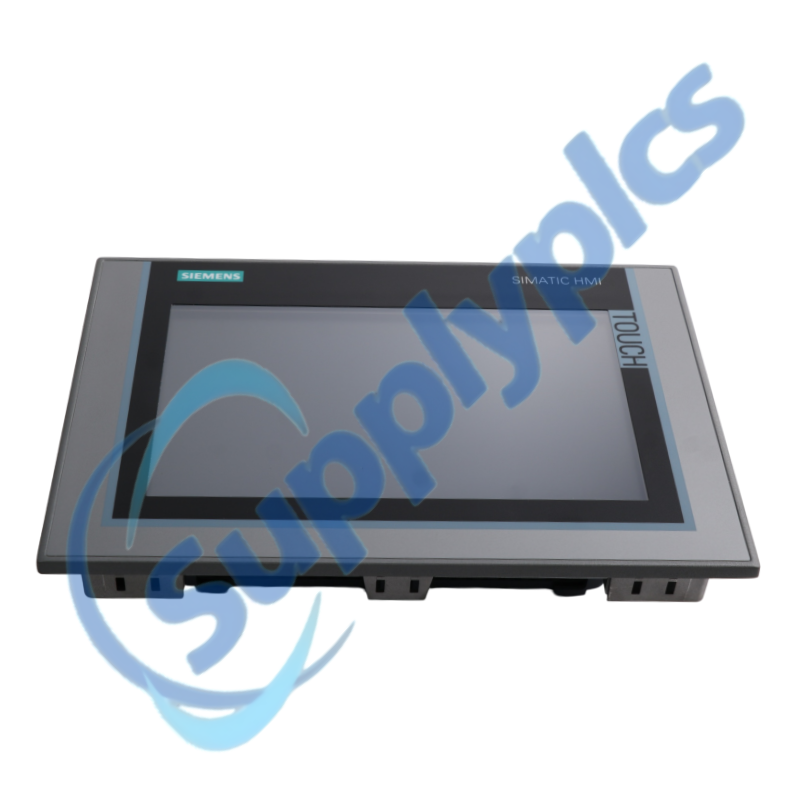
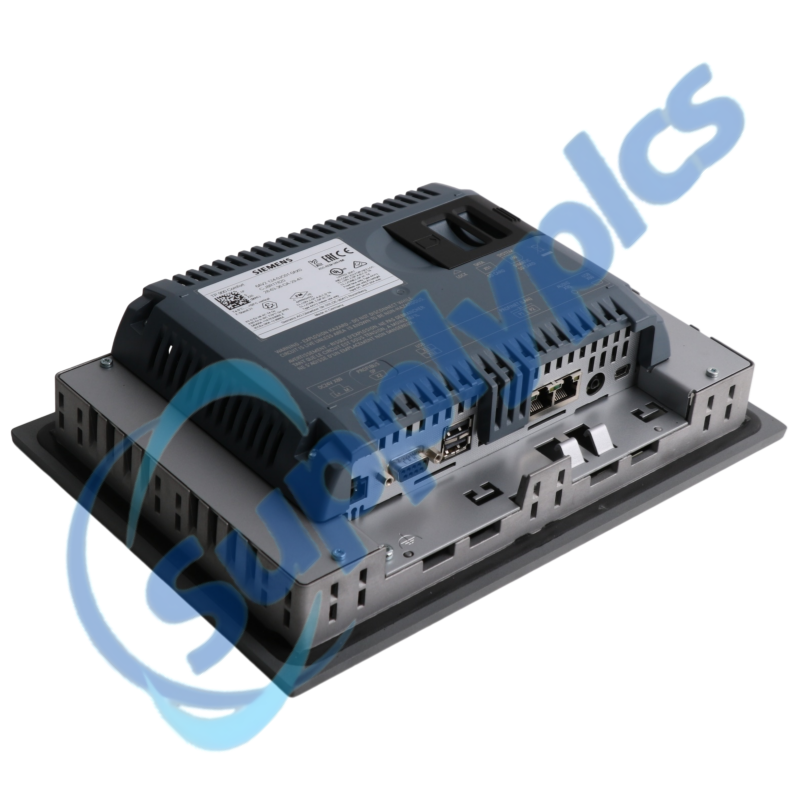
Siemens 6AV2124-0JC01-0AX0 SIMATIC HMI TP900 Comfort Panel

Product Name: SIMATIC HMI TP900 Comfort Panel
Brand Name: Siemens
Model Number: 6AV2124-0JC01-0AX0
Place of Origin: Germany
Warranty: 12 Months
Whatsapp: +86 18020776782
Appurtenance:
  • Overview
  • Commercial Term
  • Specifications
  • Contact info
  • Description
  • Function
  • About Company
  • FAQ
  • Other Products
  • Recommended Products
Nine-Inch Widescreen Operator Interface for SIMATIC Automation

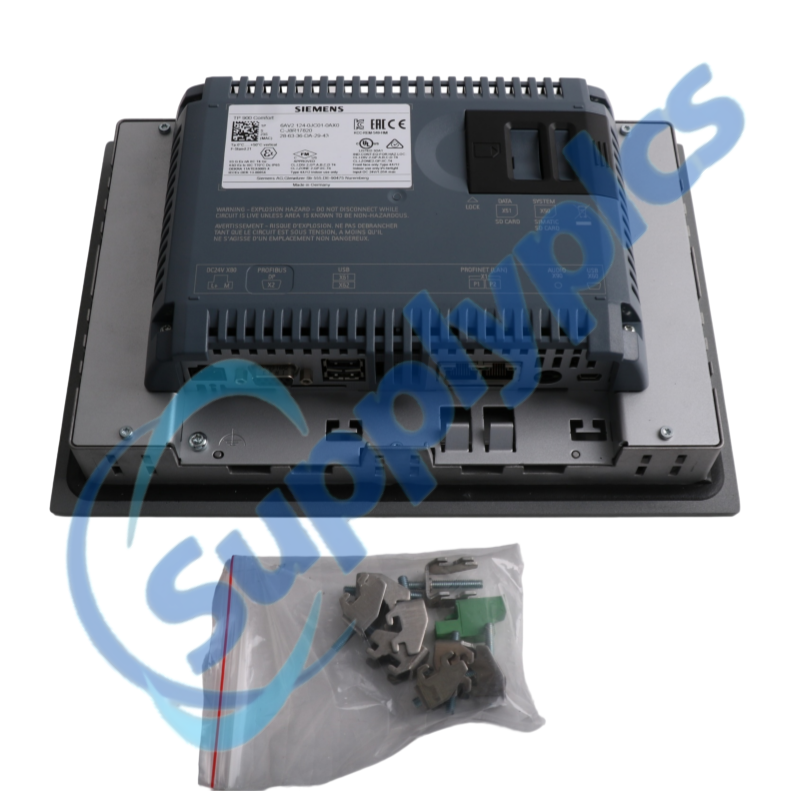
Siemens 6AV2124-0JC01-0AX0 is a SIMATIC HMI TP900 Comfort panel with a 9-inch widescreen touch display and industrial communication interfaces.

Use the exact Siemens order number 6AV2124-0JC01-0AX0 when matching an installed unit, project or service spare.

Commercial Term

QUOTATION PAYMENT LEAD TIME SHIPPING WARRANTY
Current price and availability
T/T or agreed terms
Confirmed with the quotation
DHL, FedEx, UPS or agreed freight
12 months

Specifications

Technical parameter Value
Product type designation
SIMATIC HMI TP900 Comfort
Article number
6AV2124-0JC01-0AX0
Display
9-inch widescreen TFT touch display
Resolution
800 × 480 pixels
Colors
16 million
Communication
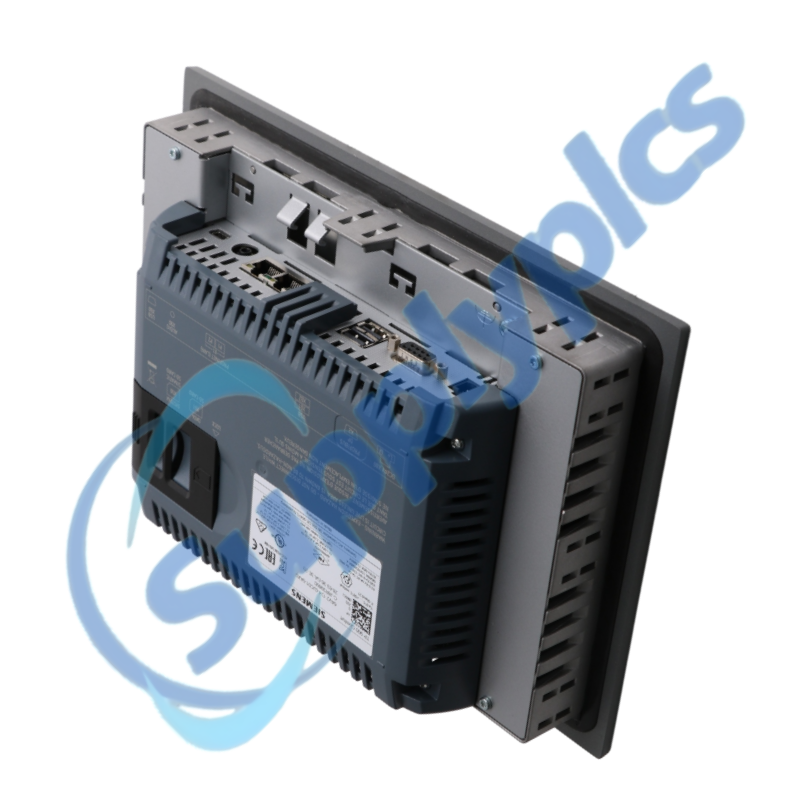
PROFINET and MPI/PROFIBUS DP
Configuration memory
12 MB
Engineering software
WinCC Comfort V11 or later
Manufacturer
Siemens

Contact info

Description

The 9-inch widescreen format of 6AV2124-0JC01-0AX0 provides a 16-million-color operator interface with PROFINET and MPI/PROFIBUS DP connectivity. Its Comfort Panel platform supports visualization, alarm handling and machine operation from one HMI station.

A project for 6AV2124-0JC01-0AX0 should be retained in its original engineering environment before panel exchange. Screen layout, communication parameters, archives and any transferable runtime data must be reviewed as part of the restoration plan.

Function

Touch operation
Run machine visualization and operator input on a 9-inch widescreen panel.
Industrial communication
Connect through PROFINET or MPI/PROFIBUS DP according to the project.
Project memory
Use the documented 12 MB configuration memory for the HMI application.
Engineering workflow
Configure the panel with WinCC Comfort V11 or a later supported engineering environment.

About Company

SupplyPLCs supports global industrial automation sourcing with exact-model review, product-condition confirmation and responsive quotation service.

Share the complete order number, installed-system context and destination with our team. We will coordinate availability, shipment options and the documentation available for the requested product.

FAQ

Q1. Can an existing HMI project be restored directly to 6AV2124-0JC01-0AX0 after a failed panel is removed?
Answer: Only when the archived project targets the TP900 Comfort and the communication configuration matches the machine. Open the project in a supported WinCC Comfort environment, resolve conversion messages, and test the restored panel offline before production use.
Q2. Why might 6AV2124-0JC01-0AX0 show the process screens but no live tag values after replacement?
Answer: The display project may be running while the configured PLC route is not. Compare the saved PROFINET or MPI/PROFIBUS DP settings with the installed network, then test one controller connection before editing screen objects.
Q3. How should I prepare for replacing 6AV2124-0JC01-0AX0 without losing operator data?
Answer: Create a verified project archive and preserve any supported recipes, archives and transfer settings before removal. Record the panel address and PLC connection parameters so the restored unit can be validated against the original machine state.
Q4. What should be examined when the touch response of 6AV2124-0JC01-0AX0 no longer matches the displayed buttons?
Answer: Start with the panel calibration and confirm that the project resolution remains 800 × 480. If the touch point remains displaced after calibration, stop operation and separate a panel hardware fault from a project layout error.
Q5. When a 6AV2124-0JC01-0AX0 screen appears unusually dim, where should maintenance begin?
Answer: Confirm whether the project or control panel has reduced the dimmable backlight before assuming display failure. Restore the intended brightness setting and compare the result at startup; persistent dark areas indicate a display-service issue.
Q6. Which project details should accompany an RFQ for 6AV2124-0JC01-0AX0 used on a running machine?
Answer: Include the complete order number, WinCC project version, PLC connection type and photographs of the rear label and installed connectors. This information separates the TP900 Comfort configuration from other panel formats before shipment.

Other Products

XF830A
SDI-OE-S
NA200T IZMX-RP16A-200
LFI520
4100LR12
SC200-00
SCD2200-RTU PS-22
IC200MDD844F
IC200MDL650L
ABB 1SDH001000R0505-B0821
BS6151 01 SP01
ZBRN2
FGR-002
AMAX-2241
8530D-I
THS710
105S-1
SC42-EP08
AMAX-2241/PMA
ADAP-KOOL
eWONx005CD
CH-LMD1
SP-0108-H2
ABB 2CDG110137R0011
IMD-IM20 / IM20DEMO
Abb 3BSE038226R1
SWH-4200
ABE7 P16T334
81672-01
LP/ 557-180-203

Get a Free Quote

Our representative will contact you soon.
Email
Name
Mobile
Company Name
Message
0/1000

Get a Free Quote

Our representative will contact you soon.
Email
Name
Mobile
Company Name
Message
0/1000