Get a Free Quote

Our representative will contact you soon.
Email
Name
Mobile
Company Name
Message
0/1000
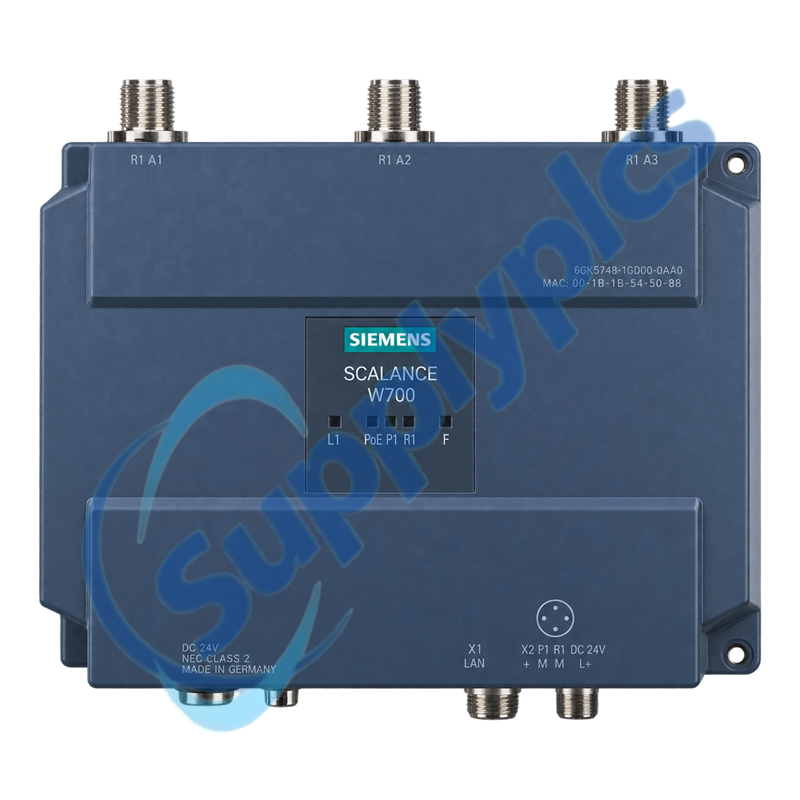
siemens 6gk5748 1gd00 0aa0 scalance w748 1 m12 industrial wireless lan client-0

SIEMENS

Home >  Products >  SIEMENS

Siemens 6GK5748-1GD00-0AA0 SCALANCE W748-1 M12 Industrial Wireless LAN Client

Product Name: SCALANCE W748-1 M12 Industrial Wireless LAN Client
Brand Name: Siemens
Model Number: 6GK5748-1GD00-0AA0
Place of Origin: Germany
Warranty: 12 Months
Whatsapp: +86 18020776782
Appurtenance:
  • Overview
  • Description
  • Wireless Connectivity
  • Specifications
  • Installation Guidelines
  • Commercial Term
  • Contact info
  • FAQ
  • Other Products
  • Recommended Products
Rugged IP65 wireless client with M12 Gigabit Ethernet for mobile and outdoor industrial networks
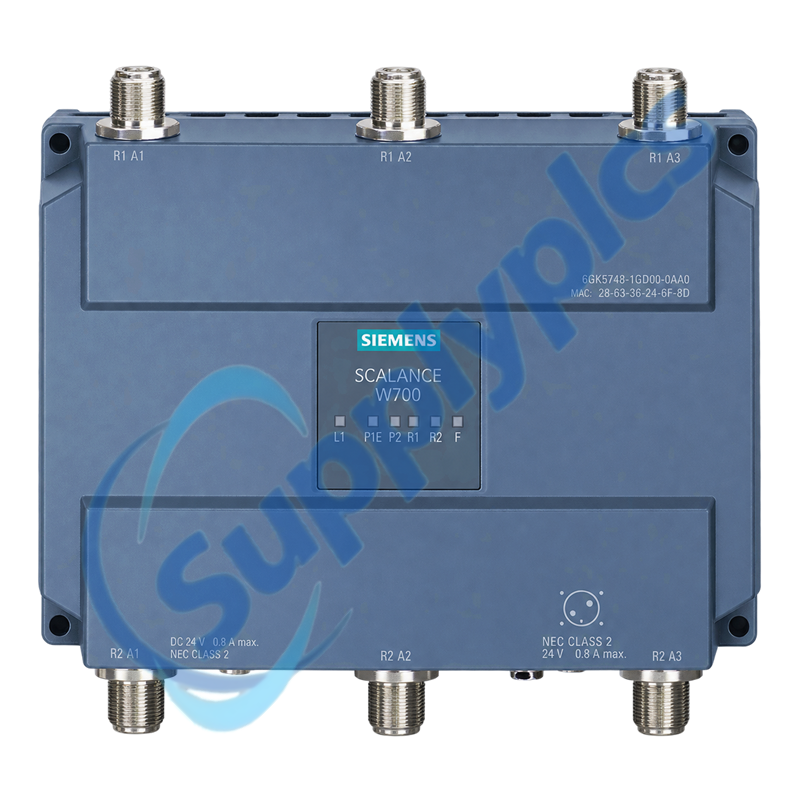
The Siemens SCALANCE W748-1 M12 provides one 3×3 MIMO radio for 2.4 or 5 GHz operation, three external N-Connect antenna ports, one X-coded M12 Gigabit Ethernet interface, PoE and redundant 24 V DC supply options.
Wireless-site check: Confirm the exact 0AA0 regional-approval variant, permitted radio channels, antenna system, iFeatures or KEY-PLUG requirement, WLAN security, Ethernet port, PoE or 24 V DC power and client roaming method before ordering 6GK5748-1GD00-0AA0.

Description

6GK5748-1GD00-0AA0 is an industrial WLAN client for machines, vehicles and distributed equipment that require a sealed M12 network connection and controlled roaming between access points. It supports IEEE 802.11a/b/g/h/n with up to 450 Mbit/s gross radio rate.
National wireless approvals are order-number specific. The replacement must retain the same regional variant, antenna gain, cable loss, channel plan, security method, radio configuration and C-PLUG or KEY-PLUG data.

Wireless Connectivity

Stable roaming depends on a matched radio profile, antenna system and site channel plan.
Regional variant
Verify the complete 0AA0 order number and the country approval before copying any WLAN configuration.
Antenna system
Record antenna models, gain, polarization, cable type and port assignment for all three N-Connect interfaces.
Roaming and security
Preserve SSID, authentication, WPA/WPA2 settings, RADIUS use and any iPCF or iPRP function enabled by KEY-PLUG.

Specifications

Product type designation
SCALANCE W748-1 M12
Order number
6GK5748-1GD00-0AA0
Operating mode
Industrial WLAN client
Wireless standards
IEEE 802.11a/b/g/h/n
Frequency bands
2.4 GHz and 5 GHz, subject to national approvals
Maximum gross WLAN rate
450 Mbit/s
Radio architecture
1 radio, 3×3 MIMO, 3 spatial streams
External antenna ports
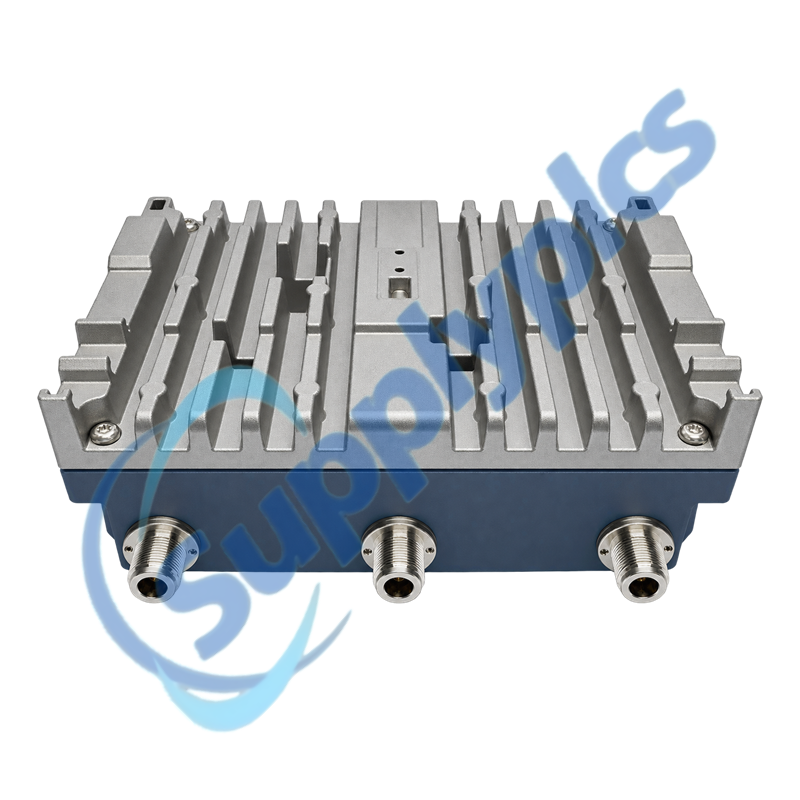
3 × N-Connect sockets
Ethernet interface
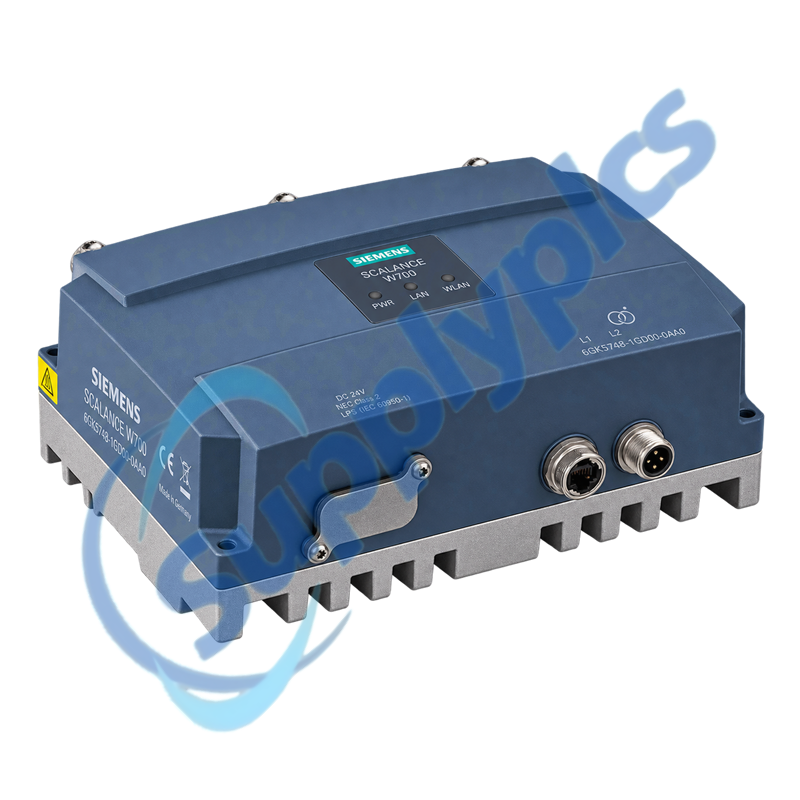
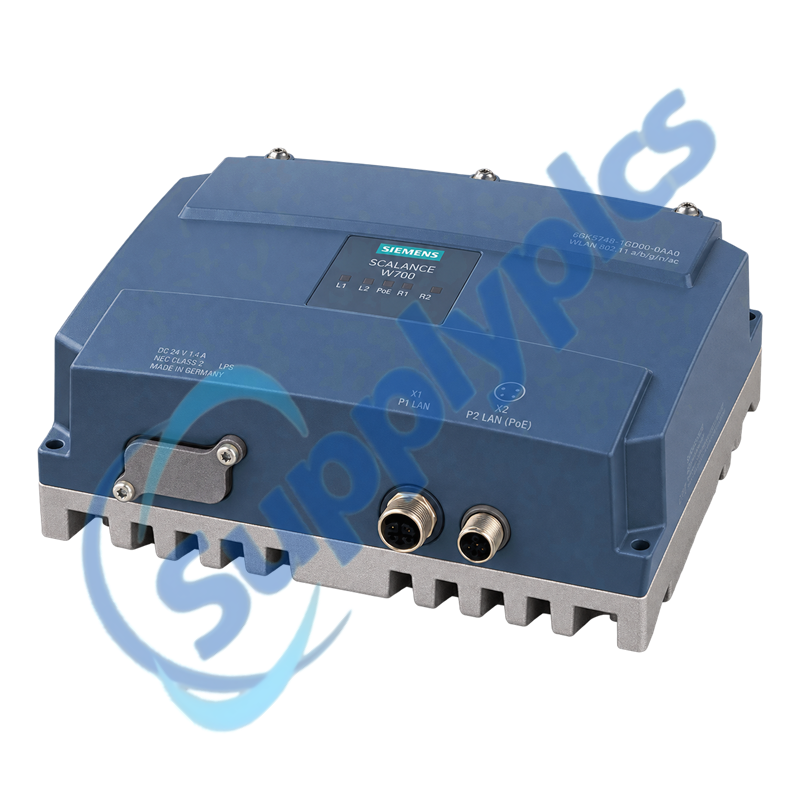
1 × X-coded M12, 10/100/1000 Mbit/s, PoE
Power options
PoE or redundant 24 V DC through A-coded M12
Degree of protection
IP65
Operating temperature
-20 to +60 °C

Installation Guidelines

Mechanical sealing, power selection and grounding must be checked before the wireless configuration is restored.
Power source
Confirm whether the device uses PoE or the redundant A-coded M12 24 V DC inputs; do not mix an undocumented supply arrangement.
Enclosure and caps
Maintain IP65 sealing, fit approved M12 caps and install the additional enclosure required for Zone 2 use.
Configuration media
Back up the device configuration and identify the installed C-PLUG or KEY-PLUG before replacement.

Commercial Term

Quotation
Current price and availability
Payment
T/T or agreed terms
Lead time
Confirmed with quotation
Shipping
DHL, FedEx, UPS or agreed freight
Warranty
12 months

Contact info

FAQ

Q1
How should I verify that 6GK5748-1GD00-0AA0 is the correct regional WLAN variant?
Match the full order number, country of operation, certification ID, approved channels, antenna gain and cable loss. Do not substitute another suffix without confirming the local radio approval.
Q2
What should I back up before replacing 6GK5748-1GD00-0AA0?
Export the complete device configuration and record the SSID, security and RADIUS settings, IP addressing, roaming method, radio channel policy, antenna assignments and C-PLUG or KEY-PLUG details.
Q3
Why can 6GK5748-1GD00-0AA0 associate with an access point but pass no automation traffic?
Check VLAN, NAT or ACL settings, client IP configuration, managed MAC addresses, gateway and firewall rules. Confirm that the correct industrial client mode and security profile were restored.
Q4
What should I inspect when 6GK5748-1GD00-0AA0 has weak or intermittent WLAN coverage?
Inspect all three antenna connectors and cables, antenna orientation, channel interference, signal level and access-point overlap. Verify that permitted transmit power and country settings match the installed approval.
Q5
How should I troubleshoot power loss on 6GK5748-1GD00-0AA0?
Identify whether PoE or redundant 24 V DC is intended, then verify the correct M12 coding, cable pinout, source voltage and connector sealing. Check each redundant feed independently under load.
Q6
Which information should I provide when requesting 6GK5748-1GD00-0AA0 for a mobile machine?
Provide the exact order number, destination country, access-point family, antenna and cable types, WLAN security, roaming requirement, power method, plug configuration and clear photos of every connector and label.

Other Products

M4A-MT
ION7300-TROP
EDS-405A-SS-SC
IC693ALG392B
UE4740-22H0000
DIN-4DIMFLV4
2079872
P2RK-P
EY-IO550F001
PRT-4G-USB
LPS-4XWGA
DIN-TSTAT-FCU
Eclipse-MX-M-SA
350WB-120
GE Q500T3/CL
BZMB1-A100
BZMC1-A63-BT
BZMB1-A63-BT
BZME1-A25-BT
BZMC2-A200
BZMB1-A50-BT
BZMC1-A50-BT
BZMC1-A32-BT
TIOC-555 17-505555-001B
734-01
NUM-ACT08
TE-702-A-17-A
3RT1046-1AC20
02000-A-1758
IC694ALG392-FG

Get a Free Quote

Our representative will contact you soon.
Email
Name
Mobile
Company Name
Message
0/1000

Get a Free Quote

Our representative will contact you soon.
Email
Name
Mobile
Company Name
Message
0/1000