 EN
EN

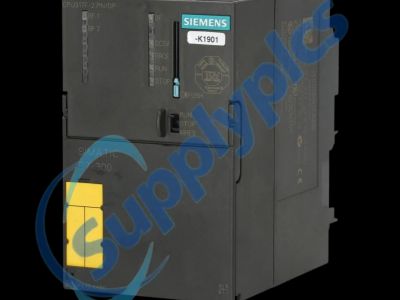
Understanding how to navigate the complexities of a Siemens S7-300 CPU replacement is critical, especially when firmware versions differ. This article provides essential insights for purchasing managers and engineers who need to ensure compatibility and performance in their operations. By addressing key specifications, cost factors, and best practices, you will gain a clearer understanding of what to look for when sourcing Siemens S7-300 CPUs to maintain efficiency in your industrial automation processes.
Key Specifications to Consider for Siemens S7-300 CPUs
When evaluating Siemens S7-300 CPUs, several key specifications should be prioritized to ensure proper compatibility and performance within your automation system.
Firmware Version: The most critical specification to check is the firmware version of the CPU. Different versions may introduce new features or enhancements, but they can also lead to incompatibility with existing modules and software. Always confirm that the replacement CPU is compatible with your current system setup.
Processing Power: Evaluate the CPU's processing power, measured in MIPS (Million Instructions Per Second). This affects the CPU's ability to handle complex operations and large programs. Ensure the replacement plc cpu module meets or exceeds the performance requirements of your applications.
Memory Options: Different CPUs come with varying memory capacities for user programs and data. Assess your application's memory needs and select a CPU that provides adequate memory to avoid performance bottlenecks.
Communication Interfaces: Check the available communication interfaces, such as MPI, Profibus, or Ethernet. Ensure the new CPU supports your network configuration to maintain seamless communication within your automation system.
Environmental Ratings: Finally, consider the environmental ratings, such as temperature and humidity tolerances. Ensure the chosen CPU can withstand the conditions of your operating environment.
Original vs. Replacement Siemens S7-300 CPUs
Choosing between original Siemens S7-300 CPUs and replacement options can significantly impact your operations. Original CPUs typically offer guaranteed compatibility and warranty coverage, which can provide peace of mind. They are manufactured to the same high standards and specifications as your existing equipment. On the other hand, replacement processor module cpu can be a cost-effective solution, especially when original components are difficult to source. However, caution is advised. Buyers should verify the specifications, including firmware compatibility, and ensure the replacement CPUs are sourced from reputable suppliers to avoid issues related to quality or performance. It’s also important to consider that while original CPUs may come with a higher price tag, they often provide better long-term reliability. In contrast, cheaper replacements might save costs upfront but could lead to increased downtime or additional expenses if they fail to meet operational demands.
Cost Factors for Bulk Orders of Siemens S7-300 CPUs
When planning for bulk orders of Siemens S7-300 CPUs, several cost factors need to be assessed:
Unit Price: The base price per CPU can vary significantly between suppliers. When purchasing in bulk, negotiate for volume discounts which can lead to substantial savings.
Shipping and Handling: Consider the costs associated with shipping, which can fluctuate based on the quantity and destination. Some suppliers may offer free shipping for larger orders, while others may charge based on weight and distance.
Lead Time: Longer lead times can affect your production schedules. Ensure suppliers can deliver within your required timeframe; otherwise, factor in potential costs related to delays.
Warranty and Support: Consider the warranty length and the level of support offered with the CPUs. A longer warranty may come at a higher upfront cost but can save on future repairs or replacements.
Import Duties and Taxes: If sourcing from international suppliers, account for any import duties or taxes that may apply. These can significantly affect the final cost of the CPUs.
Installation Guidance for Siemens S7-300 CPU Replacement Projects
Proper installation of a Siemens S7-300 CPU is essential for ensuring optimal performance. Here are key steps to follow during the replacement process:
Preparation: Before installation, gather all necessary tools and documentation. Ensure that you have the correct CPU model and that the firmware version is compatible with existing components.
Power Down: Always power down the system before removing the old CPU. This minimizes the risk of electrical damage and ensures safety during the installation process.
Remove Old CPU: Carefully detach the old cpu module from the rack, following the manufacturer's guidelines. Handle all components with care to avoid static damage.
Install New CPU: Insert the new CPU into the designated slot, ensuring it is securely connected. Pay attention to alignment to avoid damaging pins.
Configuration: After physical installation, power up the system and perform necessary configuration steps. This may include setting parameters in the programming software and testing communication with other modules.
Testing: Conduct thorough testing after installation to ensure all functions operate as expected. Monitor the system for any irregularities that may indicate compatibility issues.
Best Practices for Evaluating Siemens S7-300 CPU Suppliers
Selecting a reliable supplier for Siemens S7-300 CPUs can impact the success of your automation projects. Here are best practices for evaluating potential suppliers:
Reputation and Experience: Research the supplier’s reputation in the industry. Look for established companies with a history of providing quality products and customer service.
Product Quality Assurance: Ensure the supplier has a robust quality assurance process in place. This includes certifications and adherence to industry standards that guarantee the reliability of their products.
Customer Reviews and Testimonials: Check customer reviews and testimonials to gauge satisfaction levels. Positive feedback from other B2B clients can indicate a supplier’s reliability.
Technical Support: Assess the level of technical support offered. A supplier that provides comprehensive support can be invaluable, especially during installation or troubleshooting phases.
Return Policy and Warranty: Understand the supplier's return policy and warranty terms. A favorable policy can mitigate risks associated with purchasing components that do not meet your expectations.
By using these guidelines, purchasing managers and engineers can make informed decisions when sourcing Siemens S7-300 CPUs, ensuring compatibility and reliability in their automation systems.