 EN

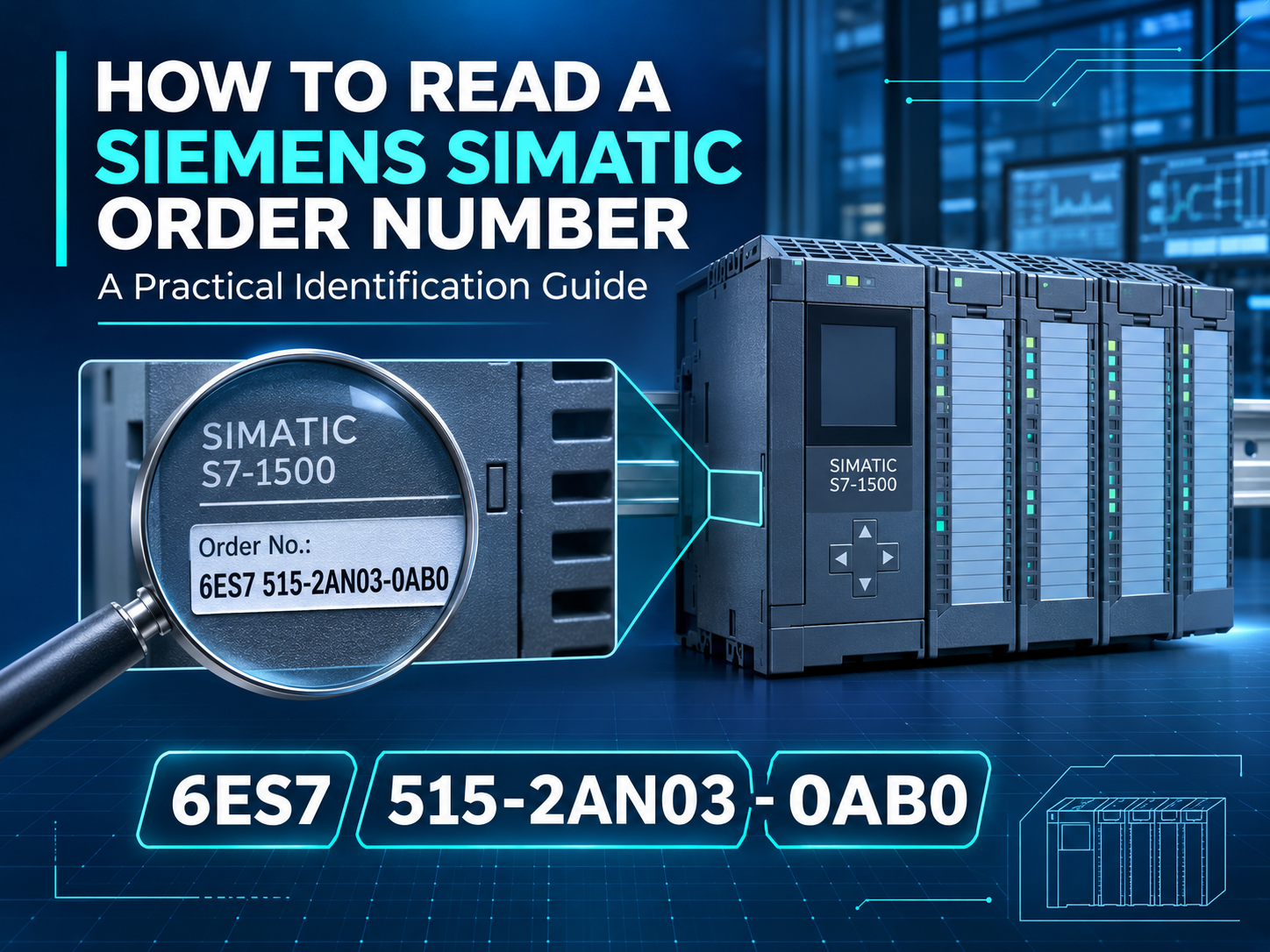
SIMATIC Identification Guide
A Siemens SIMATIC order number is the most reliable starting point for identifying a module. One changed letter or digit can indicate a different CPU generation, communication interface, channel configuration, hardware revision, delivery version, or product option. Reading the complete number helps buyers and engineers avoid expensive mismatches.
Why the Complete Order Number Matters
Siemens commonly identifies industrial products by an Article Number, also called an order number or MLFB. A typical SIMATIC number may look like 6ES7 515-2AN03-0AB0. The spaces are often omitted in databases, quotations, and labels, so the same number may appear as 6ES7515-2AN03-0AB0. Punctuation and spacing can be normalized for searching, but every letter and digit must remain unchanged.
The order number should not be confused with the serial number. The order number identifies the product type and configuration, while the serial number identifies one individual unit. The hardware revision, firmware version, functional state, and manufacturing information are separate identification details. For a replacement request, record all of them whenever they are visible.
Read the Number in Groups
The opening characters identify the Siemens product area. Many SIMATIC automation components begin with 6ES7, while other Siemens families can begin with different prefixes such as 6GK for industrial communication products or 6AV for many HMI products. The next group narrows the product family and device type. In the example above, 515 points to a CPU 1515 family product.
The characters after the hyphen distinguish the exact variant and release. They may reflect interface options, memory or performance class, design generation, regional or delivery characteristics, and other product-specific details. Their meaning is not universal across every SIMATIC family. Do not assume that the same character always has the same meaning on an S7-300 CPU, an S7-1500 CPU, an ET 200 module, and a software license.
The safest method is therefore two-stage identification: first copy the complete order number exactly, then verify it in Siemens Industry Mall or the applicable Siemens manual. A visual similarity or a partial number is not enough to establish compatibility.
What to Copy from the Nameplate
Copy every character, hyphen, and suffix. Photograph the label before removing the module.
Look for markings such as FS, hardware version, product version, or edition information.
For CPUs, interface modules, communication processors, and intelligent devices, firmware can affect project compatibility.
These identify the individual unit and can assist with traceability and service checks.
Record supply voltage, signal type, current range, channel count, and environmental or approval markings.
Include front connectors, terminal units, memory cards, bus adapters, mounting bases, and removable terminal blocks.
Common Identification Mistakes
Using only the family name: “S7-1500 CPU” or “ET 200SP module” describes a family, not an orderable configuration. The family contains many devices with different functions.
Ignoring the final suffix: Two modules can share the same first characters but differ in generation, interface, performance, coating, delivery form, or approved application.
Confusing similar characters: Zero and the letter O, one and the letter I, or B and 8 can be difficult to distinguish in a worn photograph. Take one close-up and one full-module image under even lighting.
Assuming a newer revision is automatically interchangeable: A successor may require a newer TIA Portal or STEP 7 hardware catalog, different firmware, a project update, or changed accessories.
Checking only the front label: Side labels, rear connectors, terminal bases, bus adapters, and memory cards can contain information needed for a complete replacement.
How to Verify a SIMATIC Order Number
Search the complete number. Enter the full article number in Siemens Industry Mall or Siemens SiePortal. If the number is not found, remove spaces but keep every letter, digit, and hyphen.
Read the official product description. Confirm CPU type, I/O function, channel count, voltage, communication interfaces, memory, and required base or terminal unit.
Check lifecycle information. Determine whether the item is active, phase-out, discontinued, or available only as a spare. For an obsolete part, verify the officially documented successor rather than choosing a visually similar module.
Compare the installed project. Check the configured article number and firmware in TIA Portal, STEP 7, PCS 7, or the relevant engineering system. An online/offline hardware mismatch may prevent normal commissioning.
Confirm the complete assembly. A CPU or I/O module may depend on a specific memory card, front connector, bus adapter, terminal unit, power module, or mounting system. Ask what is included before placing the order.
Recommended SIMATIC Models to Review
These commonly requested article numbers illustrate how one exact character sequence identifies a specific SIMATIC product. They are reference examples, not automatic replacements. Confirm firmware, engineering-software support, accessories, and the installed system before ordering.
| Article Number | Product / Family | Key Checks |
|---|---|---|
| 6ES7515-2AN03-0AB0 | SIMATIC S7-1500 CPU 1515-2 PN | TIA Portal version, firmware, PROFINET interfaces, memory card |
| 6ES7511-1AK02-0AB0 | SIMATIC S7-1500 CPU 1511-1 PN | Firmware, configured CPU, memory card, project support |
| 6ES7214-1AG40-0XB0 | SIMATIC S7-1200 CPU 1214C DC/DC/DC | Power and I/O type, firmware, signal board, expansion modules |
| 6ES7315-2EH14-0AB0 | SIMATIC S7-300 CPU 315-2 PN/DP | STEP 7 version, firmware, memory card, MPI/DP and PN settings |
| 6ES7155-6AU01-0BN0 | SIMATIC ET 200SP IM 155-6 PN ST | Bus adapter, server module, firmware, PROFINET topology |
| 6ES7321-1BH02-0AA0 | SIMATIC S7-300 SM 321 digital input | Channel count, 24 V DC signal type, front connector, wiring |
Official Verification Resources
Siemens Industry Mall product catalog
Available Automation Models
Explore a selection of Siemens, ABB, and other industrial automation models. Send us the complete part number and required quantity to confirm current availability, condition, included accessories, and delivery options.
| Model A | Model B | Model C |
|---|---|---|
| 6ES7421-7BH01-0AB0 | 6ES7331-7NF00-0AB0 | 6ES7197-1LB00-0XA0 |
| 6ES7972-0CB35-0XA0 | 6ES7138-4FA02-0AB0 | 6ES7157-0AA82-0XA0 |
| 6ES7422-1HH00-0AA0 | 6ES7232-4HB32-0XB0 | 6ES7222-1BF32-0XB0 |
| 6ES7326-1BK01-0AB0 | 6ES7322-1BL00-0AA0 | 6ES7153-2BA02-0XB0 |
| 6ES7650-1AH61-5XX0 | 6ES7214-1AG40-0XB0 | 6ES7522-1BL01-0AB0 |
| DR1313A | P9XPNVG 185002 | K1225 |
| 902 J/K PT100 ICP11J0450000 | CSTR-SDBR70AAAY400 | AFL-08A-N270 |
| SR-0 PN:8041299 | PCB-FSC-960-03 | ABB 2CDG110264R0011 |
| FGD-1400 | CC-5 500-633037 | C819G-4G-GA-K9 |
| CP-8832-MIC-WIRED | CP1L-M30DT1-D | PCS095.s |
| FS-Router-BAC2 | ABB 1SBL281001R8432 | BE400217 APS50000D DDC2 |
| CB-400 | ABB CM574-RS 1SAP170400R0201 | ABB 1SAP450600R0001 AI531 |
| 171CCC98030 170ADI35000 | STDSEW240 | PN:OM56BHONA |
| ALM-1 | sca-213 | NCN220A |
| MP-500PA | NT8D15AKE5 | 65478 ET5S |
| ABB RTXP 18 RK 926 115-AP | B9900YD | ABB MT701.2 |
| MTK15 | IDP-680 SM201205-SXG | SG-TL70-R |
| ST-2W-1 | ABB 2CDG1101121R0011 | 7012PC 2-1423159-3 |
| ICM-4 | 868 Fu5210 | PM554-T A0 ABB 1TNE968900R0100 |
| DDFCUC024 | GJR2 3365 00 R1 LT 370 D 9071/038 | 1-05-V, BWT1-1/1T-05-NBXVXX |
Request a Quote
Send the complete Siemens article number, required quantity, preferred condition, destination, and clear nameplate photos. If the module is installed, include the controller family, engineering-software version, firmware, and any required connector or terminal unit.
Email: [email protected]
WhatsApp: +86 18159889985
SIMATIC and Siemens product names are used for identification only. Compatibility and replacement decisions should be verified by qualified personnel using the official documentation applicable to the exact hardware, firmware, and engineering-software release.