Get a Free Quote

Our representative will contact you soon.
Email
Name
Mobile
Company Name
Message
0/1000
siemens 6av3688 3eh47 0ax0 simatic hmi kp32f pn key panel-0

SIEMENS

Home >  Products >  SIEMENS

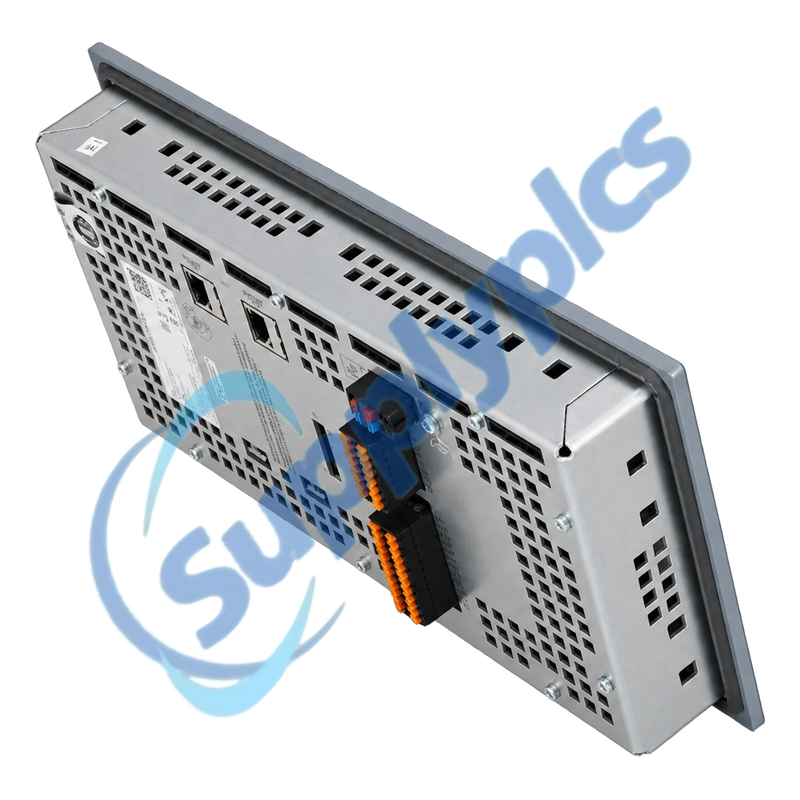
Siemens 6AV3688-3EH47-0AX0 SIMATIC HMI KP32F PN Key Panel

Product Name: SIMATIC HMI KP32F PN PROFIsafe Key Panel
Brand Name: Siemens
Model Number: 6AV3688-3EH47-0AX0
Place of Origin: Germany
Warranty: 12 Months
Whatsapp: +86 18020776782
Appurtenance:
  • Overview
  • Description
  • Safety Integration
  • Panel Installation
  • Specifications
  • Commercial Term
  • Contact info
  • FAQ
  • Other Products
  • Recommended Products
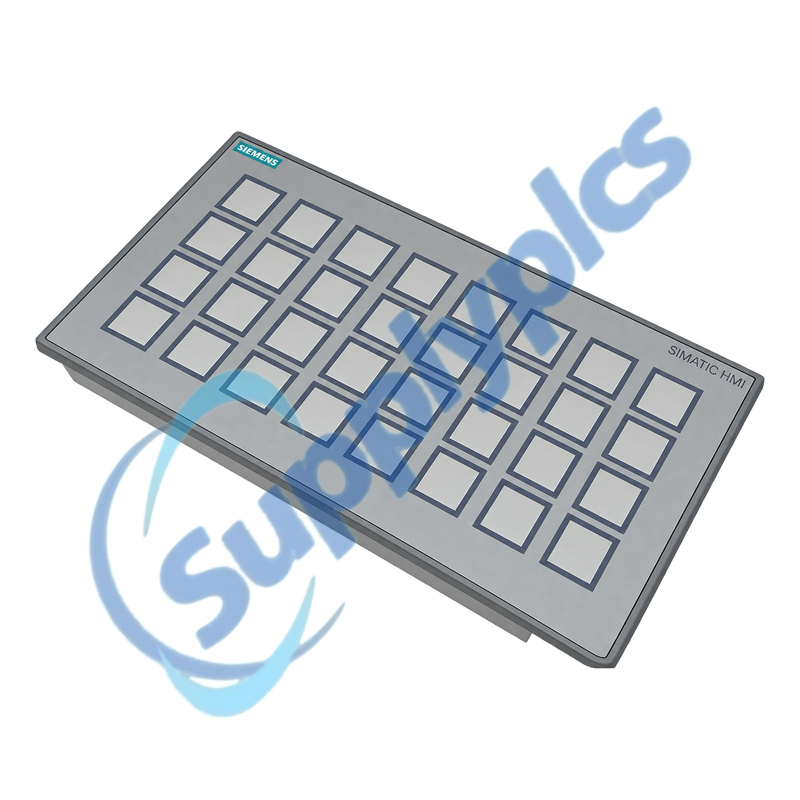
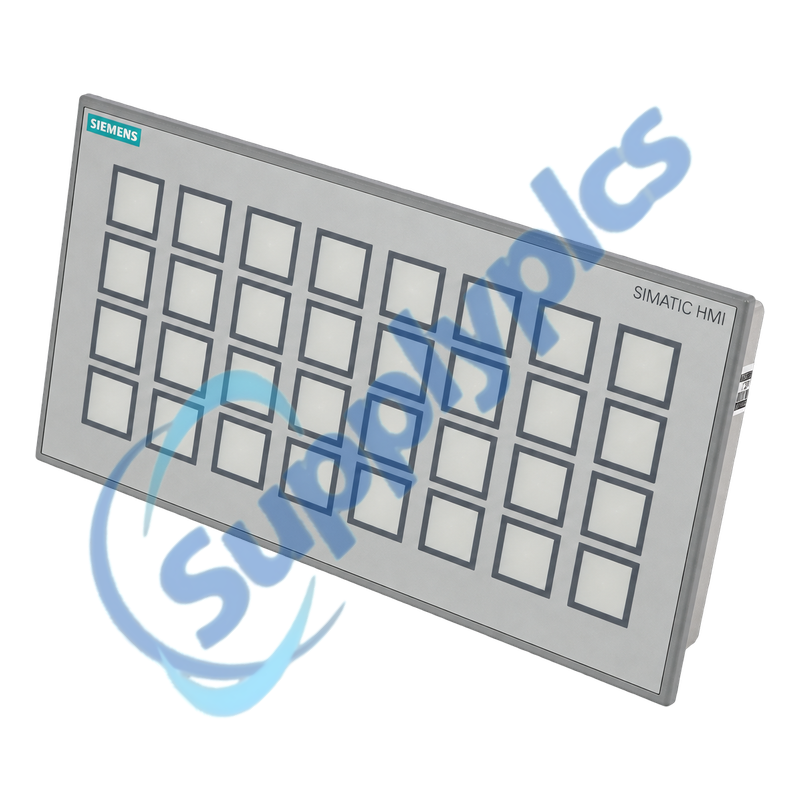
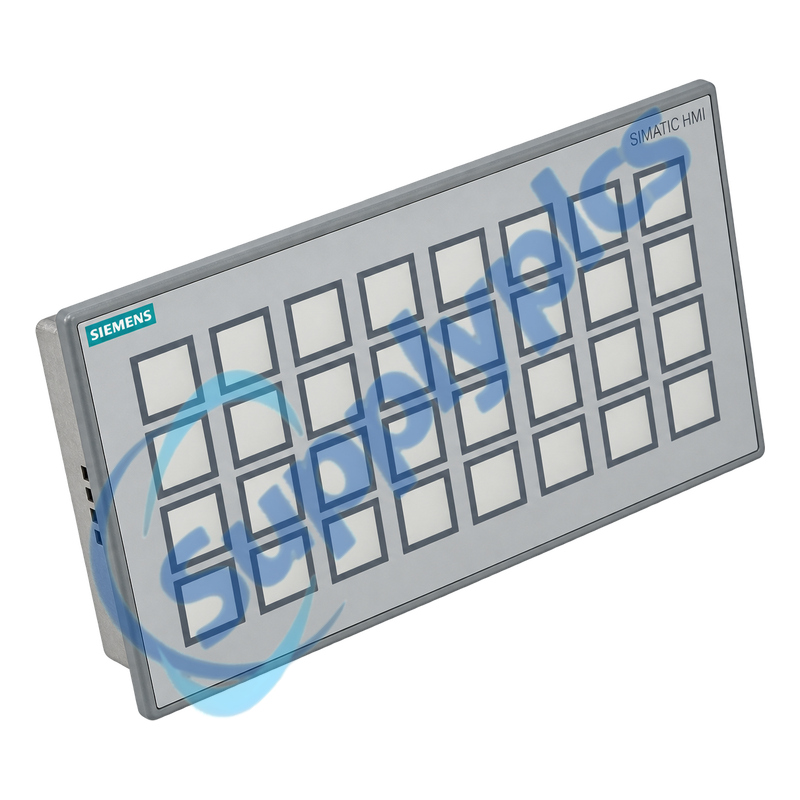
Thirty-two-key PROFINET operator panel with multicolor LEDs, standard I/O and PROFIsafe emergency-stop inputs
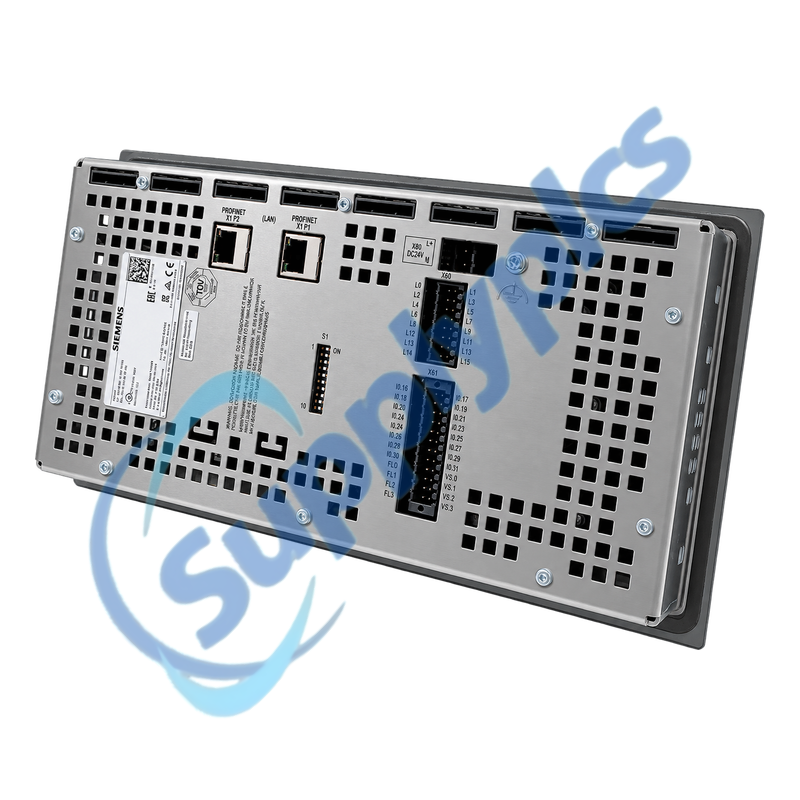
The KP32F PN provides 32 short-stroke keys, five-color LED indication, two switched PROFINET ports, up to 32 digital I/O points and four safety input pins. Siemens documents PROFIsafe support for two two-channel SIL 3 or four single-channel SIL 2 emergency-stop sensors.
Safety validation gateConfirm the STEP 7 and Safety project, F-CPU support, PROFIsafe address and telegram, emergency-stop channel wiring, I/O allocation, PROFINET device name, MRP role and panel cutout before exchange.

Description

6AV3688-3EH47-0AX0 is a configurable key panel, not a general-purpose touch HMI. Operator functions are assigned to keys, direct I/O and LED indications through the engineering project.
Safety commissioning must include the complete PROFIsafe chain. A normal PROFINET connection or illuminated keys do not prove that the emergency-stop channels and F-acknowledgment are correct.

Safety Integration

Validate the key panel as part of the complete F-system rather than as an ordinary PROFINET I/O device.
Safety channels
Document each emergency-stop circuit, single- or two-channel arrangement and the configured safety reaction.
F parameters
Preserve the PROFIsafe address, F-monitoring time, device name and Safety project checksum.
Proof test
Perform the approved safety validation, including channel discrepancy, acknowledgment and safe-state behavior.

Panel Installation

Mechanical sealing, 24 V supply and switched PROFINET wiring all affect reliable field operation.
Cutout and seal
Check the 277 x 137 mm cutout, 2-to-6 mm panel thickness, mounting clips and continuous front gasket.
Power path
Verify the 24 V range and loop-through wiring before removing or inserting the supply connector.
Network path
Label both PROFINET ports, record line or ring topology and confirm MRP role before moving cables.

Specifications

Product type designation SIMATIC HMI KP32F PN
Order number 6AV3688-3EH47-0AX0
Short-stroke keys 32
LED indication Five colors: red, green, blue, yellow and white
Digital I/O 32 inputs; 16 outputs; maximum 32 I/O total
Safety inputs Four safety DI pins
PROFIsafe capability 2 x SIL 3 two-channel or 4 x SIL 2 single-channel E-stop sensors
Network Two PROFINET ports with integrated switch and MRP
Supply 24 V DC; permitted range 20.4 to 28.8 V
Front / rear protection IP65 / IP20
Panel cutout 277 x 137 mm; plate thickness 2 to 6 mm
Operating temperature 0 to 55 degrees C vertically mounted

Commercial Term

Quotation
Current price and availability
Payment
T/T or agreed terms
Lead time
Confirmed with quotation
Shipping
DHL, FedEx, UPS or agreed freight
Warranty
12 months

Contact info

FAQ

Q1
How do I verify that 6AV3688-3EH47-0AX0 is compatible with an existing F-CPU project?
Check the STEP 7 and Safety versions, supported F-CPU, configured device name, PROFIsafe address, F-monitoring time and safety telegram. Compare all emergency-stop channel assignments with the approved safety project.
Q2
Why can 6AV3688-3EH47-0AX0 appear online while the machine safety circuit will not reset?
Standard PROFINET communication can be healthy while PROFIsafe is mismatched. Read the F-diagnostics, verify the F-address and monitoring time, inspect both channels of each safety input and follow the approved acknowledgment sequence.
Q3
What should be recorded before replacing 6AV3688-3EH47-0AX0 in an operator station?
Archive the hardware and Safety project, record the PROFINET device name and MRP role, photograph both network ports and every I/O terminal, and capture the key, LED and emergency-stop assignments.
Q4
How should the emergency-stop inputs of 6AV3688-3EH47-0AX0 be tested after installation?
Use the machine safety-validation plan. Test each channel separately and together, confirm discrepancy detection, safe-state reaction, diagnostic messages and reset behavior, and retain the signed results before returning the machine to service.
Q5
What can cause intermittent PROFINET faults on 6AV3688-3EH47-0AX0 after a panel replacement?
Check the two switched ports, connector seating, device name, IP assignment, line or ring order and MRP configuration. Also verify that 24 V remains within range during key and output activity and that the panel ground and shielding are intact.
Q6
Which mechanical checks protect the front rating of 6AV3688-3EH47-0AX0?
Use the specified cutout, confirm the mounting plate thickness is 2 to 6 mm, clean and inspect the gasket, tighten mounting clips evenly and keep the panel within the permitted orientation and ambient-temperature limits.

Other Products

ABB 3BSE008510R1 DO810
EC3-X32
3RT1035-1AK64
06-118262-001
7101063006W
Inc.BP3-1V11B5C111
GSS SDC 17/12
TE500CW12D2A1E2
E3751MS3A
60HH-S 253761
DH100
PCX924
GE BWT1-1 / 1T-05-NB-AX / EX-V
375010
ARV-006A-000
TVD100-PBA
CJS20W
MVP-WDS / Fg5965-11
JZ10-11-T10
ESIO4 02-70325-02A
X13760335-01
CC-TAIX11 51308365-175
RSN-QC0FH
1492-FB3C30
16-3/16-3 OCM1240 rev40 PCI8-LX
MSR142RTP 440R-G23215
3VT1702-2EJ46-0AA0
EPS1 520010
Few-K4A5VB
TTS-SD-LCD-B-1

Get a Free Quote

Our representative will contact you soon.
Email
Name
Mobile
Company Name
Message
0/1000

Get a Free Quote

Our representative will contact you soon.
Email
Name
Mobile
Company Name
Message
0/1000