Get a Free Quote

Our representative will contact you soon.
Email
Name
Mobile
Company Name
Message
0/1000
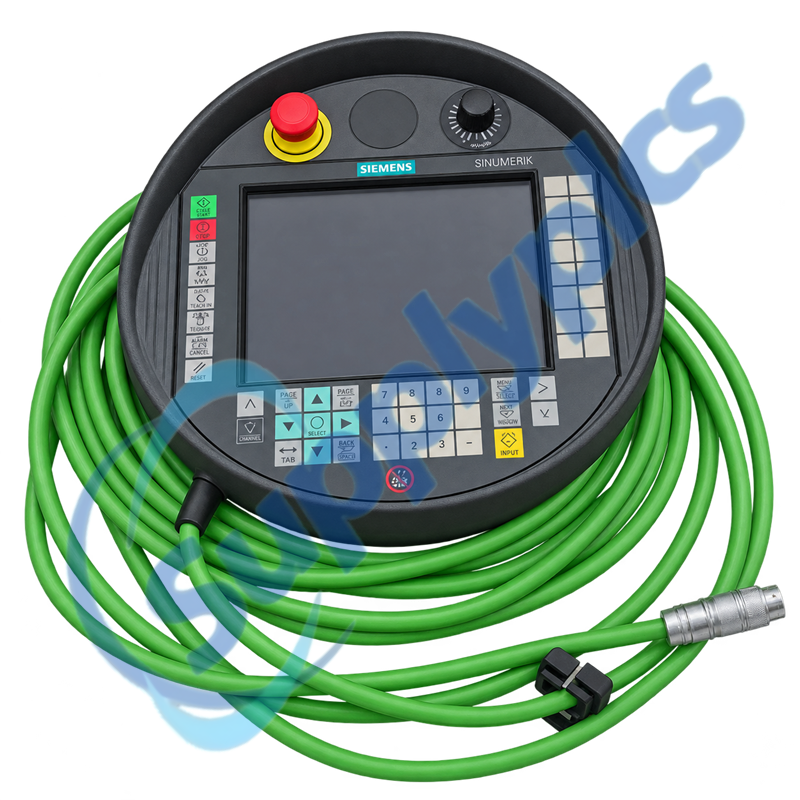
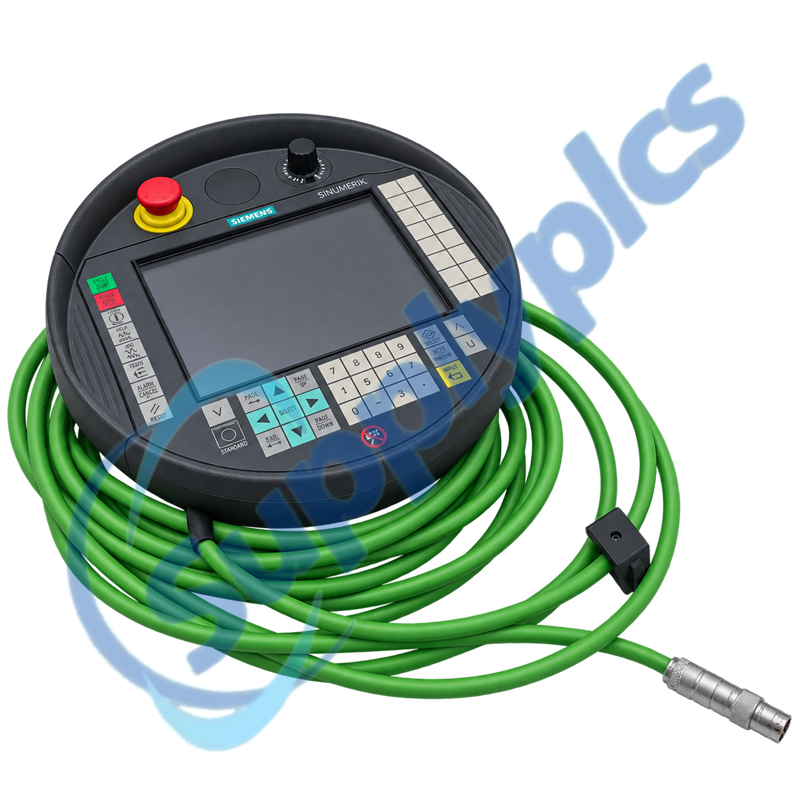
siemens 6fc5403 0aa20 0aa1 sinumerik ht 8 handheld terminal-0

SIEMENS

Home >  Products >  SIEMENS

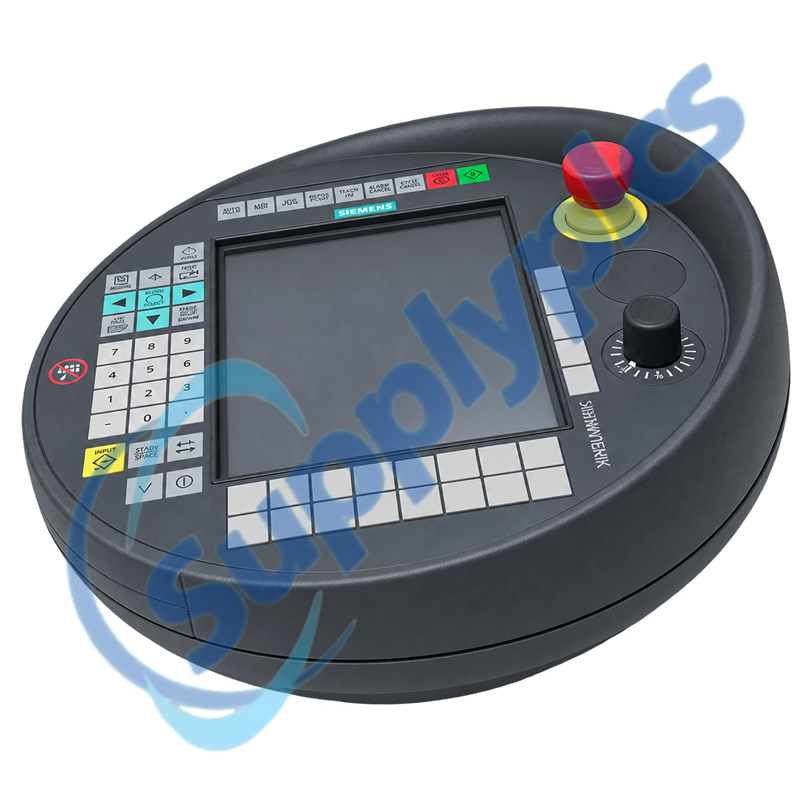
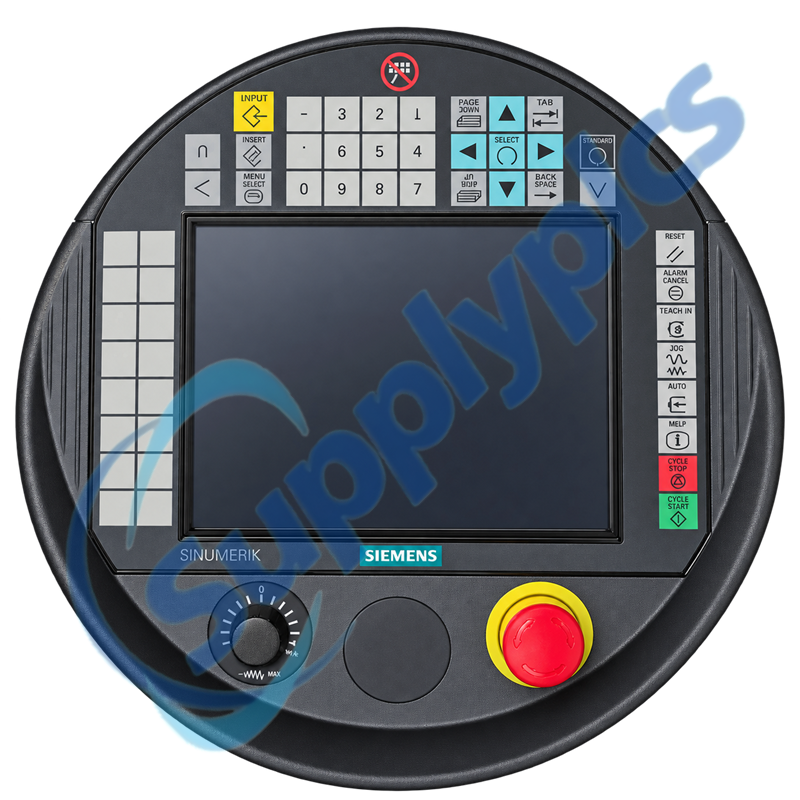
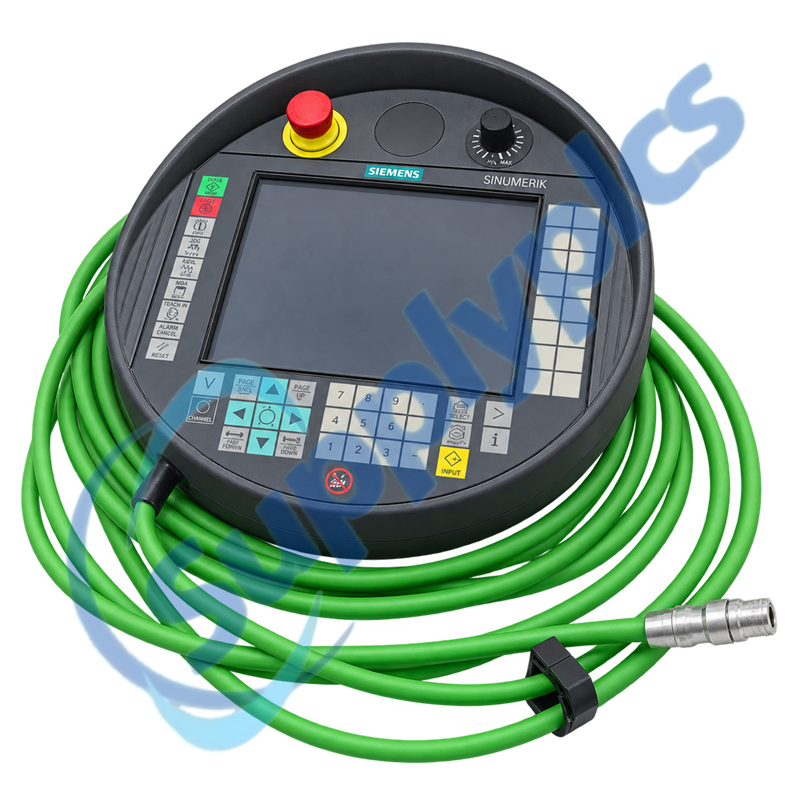
Siemens 6FC5403-0AA20-0AA1 SINUMERIK HT 8 Handheld Terminal

Product Name: SINUMERIK HT 8 Handheld Terminal without Handwheel
Brand Name: Siemens
Model Number: 6FC5403-0AA20-0AA1
Place of Origin: Germany
Warranty: 12 Months
Whatsapp: +86 18020776782
Appurtenance:
  • Overview
  • Commercial Term
  • Specifications
  • Contact info
  • Description
  • Function
  • About Company
  • FAQ
  • Other Products
  • Recommended Products
Portable SINUMERIK Machine Operation with Enabling Controls

Siemens 6FC5403-0AA20-0AA1 is a SINUMERIK HT 8 handheld terminal without a handwheel, designed for mobile CNC machine operation.

Use the exact Siemens order number 6FC5403-0AA20-0AA1 when matching an installed unit, project or service spare.

Commercial Term

QUOTATION PAYMENT LEAD TIME SHIPPING WARRANTY
Current price and availability
T/T or agreed terms
Confirmed with the quotation
DHL, FedEx, UPS or agreed freight
12 months

Specifications

Technical parameter Value
Product type designation
SINUMERIK HT 8
Article number
6FC5403-0AA20-0AA1
Version
Handheld terminal without handwheel
Display
7.5-inch TFT color display
Resolution
640 × 480 pixels
Power supply
24 V DC
Degree of protection
IP65
Operator controls
Touchscreen, enabling buttons and emergency stop
Manufacturer
Siemens

Contact info

Description

6FC5403-0AA20-0AA1 brings a 7.5-inch VGA touch interface, operator keys, enabling controls and an emergency-stop device into a portable SINUMERIK terminal. Its handheld format lets commissioning and service personnel work closer to the machine area.

Because 6FC5403-0AA20-0AA1 is the version without a handwheel, the machine project and connection-box design must not assume manual pulse-generator functions. Connection, enabling and emergency-stop circuits require validation within the machine safety design before operation.

Function

Portable operation
Operate and observe a SINUMERIK machine from the handheld terminal.
Touch and key input
Use the VGA touchscreen together with dedicated operator controls.
Machine enabling
Integrate the documented enabling controls through the approved connection system.
Hot-plug workflow
Use the appropriate connection box and machine procedure for planned terminal changes.

About Company

SupplyPLCs supports global industrial automation sourcing with exact-model review, product-condition confirmation and responsive quotation service.

Share the complete order number, installed-system context and destination with our team. We will coordinate availability, shipment options and the documentation available for the requested product.

FAQ

Q1. Can 6FC5403-0AA20-0AA1 be commissioned on a machine project that expects a handheld handwheel?
Answer: No assumption should be made. This order number is the HT 8 version without a handwheel, so the machine project must provide its required motion input by another documented method before commissioning continues.
Q2. Why can 6FC5403-0AA20-0AA1 power up but remain unavailable to the SINUMERIK operator project?
Answer: The terminal can receive power while the selected connection box, interface path or HMI configuration remains unmatched. Validate the machine-side connection and assigned operator component before changing the CNC project.
Q3. What must be validated before hot-plugging 6FC5403-0AA20-0AA1 at another machine station?
Answer: Use only the connection-box arrangement and changeover procedure defined for that machine. Stop the transfer if the enabling and emergency-stop circuits cannot be proven in the selected station state.
Q4. How should a technician respond when the touchscreen on 6FC5403-0AA20-0AA1 works but a hardware operator key does not?
Answer: Treat the touch input and hardware-key path as separate signals. Use the machine diagnostics to identify the missing key event, then inspect the terminal connection before replacing the display or editing the HMI screen.
Q5. When should 6FC5403-0AA20-0AA1 be removed from service after an impact or cable incident?
Answer: Stop using the terminal when the enclosure, cable, emergency-stop device or enabling control is damaged or behaves inconsistently. A normal display is not sufficient evidence that the machine-control path remains safe.
Q6. Which machine information is needed to source 6FC5403-0AA20-0AA1 for a maintenance outage?
Answer: Provide the complete order number, current connection-box type, CNC/HMI software context and clear images of the terminal and connector. This prevents the no-handwheel version from being confused with another HT 8 configuration.

Other Products

XF830A
SDI-OE-S
NA200T IZMX-RP16A-200
LFI520
4100LR12
SC200-00
SCD2200-RTU PS-22
IC200MDD844F
IC200MDL650L
ABB 1SDH001000R0505-B0821
BS6151 01 SP01
ZBRN2
FGR-002
AMAX-2241
8530D-I
THS710
105S-1
SC42-EP08
AMAX-2241/PMA
ADAP-KOOL
eWONx005CD
CH-LMD1
SP-0108-H2
ABB 2CDG110137R0011
IMD-IM20 / IM20DEMO
Abb 3BSE038226R1
SWH-4200
ABE7 P16T334
81672-01
LP/ 557-180-203

Get a Free Quote

Our representative will contact you soon.
Email
Name
Mobile
Company Name
Message
0/1000

Get a Free Quote

Our representative will contact you soon.
Email
Name
Mobile
Company Name
Message
0/1000