Get a Free Quote

Our representative will contact you soon.
Email
Name
Mobile
Company Name
Message
0/1000
siemens 6av6642 0bc01 1ax1 simatic tp 177b 6 inch dp blue mode touch panel-0

SIEMENS

Home >  Products >  SIEMENS

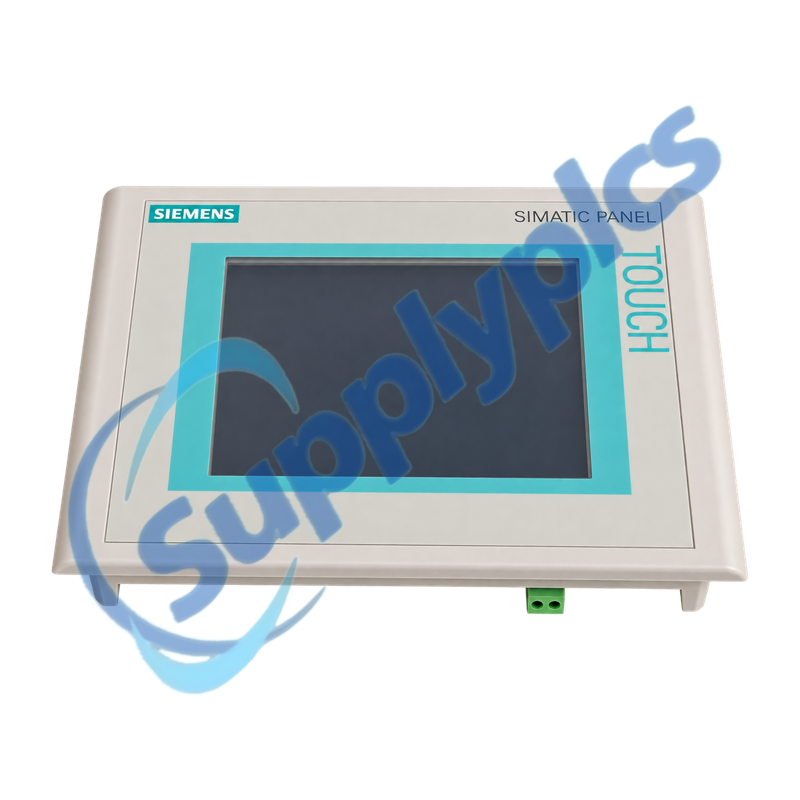
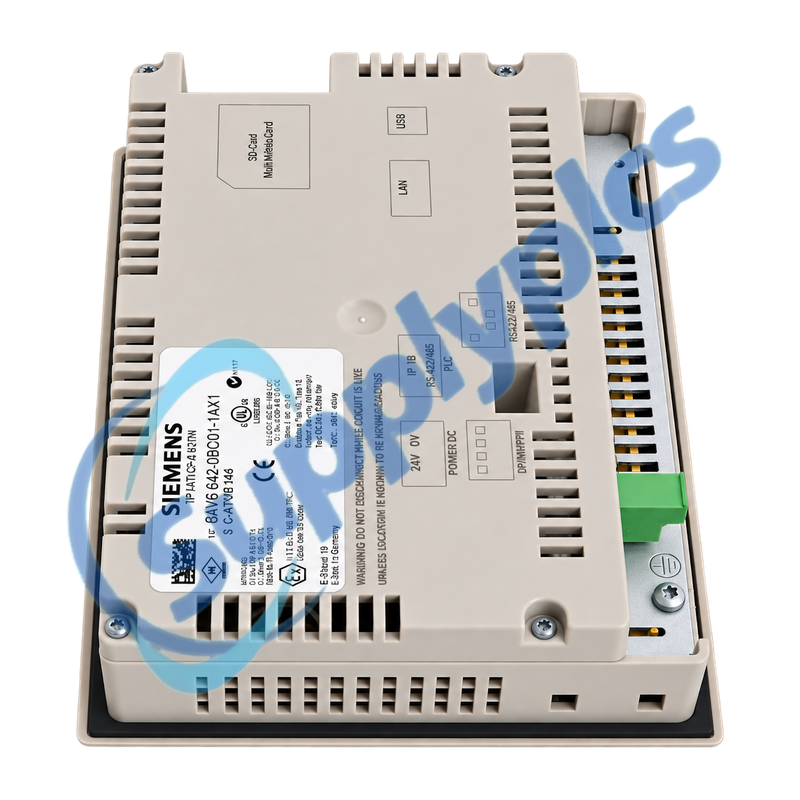
Siemens 6AV6642-0BC01-1AX1 SIMATIC TP 177B DP Touch Panel

Product Name: SIMATIC TP 177B 6-inch DP Blue-Mode Touch Panel
Brand Name: Siemens
Model Number: 6AV6642-0BC01-1AX1
Place of Origin: Germany
Warranty: 12 Months
Whatsapp: +86 18020776782
Appurtenance:
  • Overview
  • Description
  • Project Recovery
  • Specifications
  • Panel Migration
  • Commercial Term
  • Contact info
  • FAQ
  • Other Products
  • Recommended Products
Legacy six-inch touch panel for MPI and PROFIBUS DP operator interfaces
The TP 177B DP combines a blue-mode STN touch display with MPI/PROFIBUS DP communication, serial and USB interfaces, a printer connection and MMC storage. Replacement work depends on preserving the WinCC flexible project and matching the installed fieldbus, cutout and transfer method.
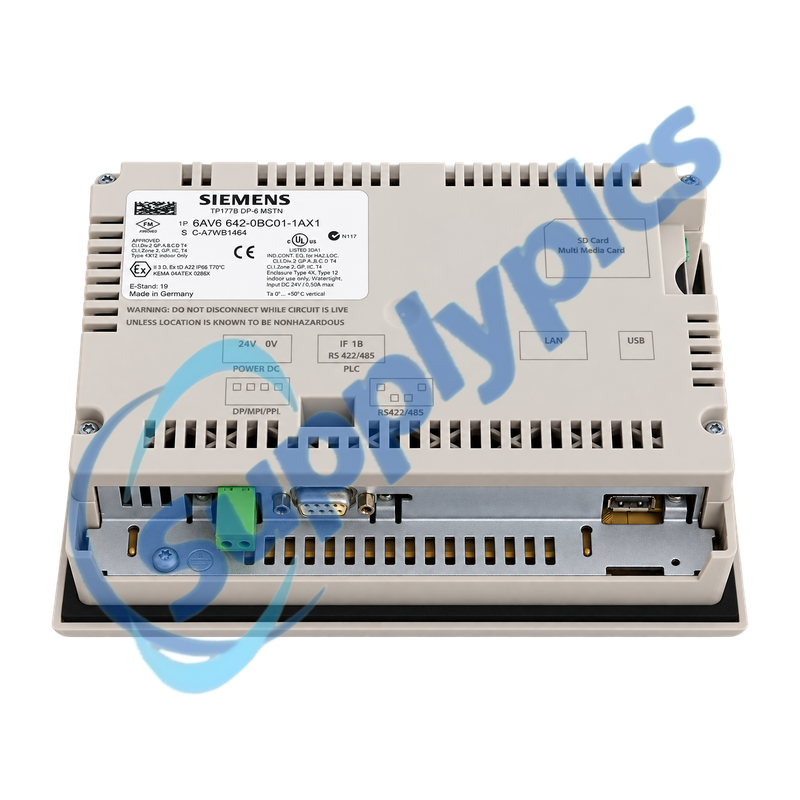
Migration and project check: Confirm the complete 6AV6642-0BC01-1AX1 label, DP blue-mode version, editable WinCC flexible project, MPI/DP address and baud rate, panel cutout, interface wiring, MMC contents and 24 V supply before removal. A modern TP700 Comfort migration is an engineering change, not a plug-in hardware swap.

Description

6AV6642-0BC01-1AX1 is a SIMATIC TP 177B 6-inch DP touch panel for machine visualization, alarms, setpoint entry and operator control over MPI or PROFIBUS DP. Siemens identifies this exact version by its blue-mode STN display and non-Ethernet DP interface arrangement.
Before service, archive the editable HMI project and all recoverable recipes, passwords, logs and transfer settings. Photograph the interface wiring and record the MPI or PROFIBUS address, baud rate, termination, panel cutout and normal startup messages so hardware, project and network faults can be separated.

Project Recovery

The editable project and recoverable runtime data must be secured before the working panel is disturbed.
Source project
Keep the WinCC flexible source, libraries, alarm texts, users, passwords, recipes and PLC connection objects.
Transfer record
Document the engineering PC, software version, transfer channel, cable and panel transfer-mode settings.
Runtime evidence
Record startup messages, MPI or DP address, baud rate, termination and the behavior of critical operator actions.

Specifications

Product type designation SIMATIC TP 177B 6-inch DP Blue Mode
Order number 6AV6642-0BC01-1AX1
Display and operation Blue-mode STN touch display
Fieldbus protocol MPI / PROFIBUS DP
Communication interfaces RS485, RS422 and USB
Additional interface Printer interface
Removable storage MMC slot
Engineering reference Configurable with WinCC flexible 2005
Panel cutout 197 x 141 mm
Front dimensions 212 x 156 mm
Device depth 44 mm
Siemens migration reference TP700 Comfort 6AV2124-0GC01-0AX0

Panel Migration

The Siemens migration path preserves the cutout but still requires checks for depth, screen format, interfaces and project conversion.
Mechanical fit
Verify the 197 x 141 mm cutout, available rear depth, front clearance, gasket and mounting hardware.
Screen conversion
Review every screen after changing from the legacy 4:3 project to the TP700 Comfort widescreen format.
Commissioning
Transfer the converted project in a controlled window and test alarms, recipes, navigation and all PLC writes.

Commercial Term

Quotation
Current price and availability
Payment
T/T or agreed terms
Lead time
Confirmed with quotation
Shipping
DHL, FedEx, UPS or agreed freight
Warranty
12 months

Contact info

FAQ

Q1
How can I confirm that 6AV6642-0BC01-1AX1 matches the installed TP 177B panel?
Match the complete order number and confirm the blue-mode DP version, MPI/PROFIBUS connector, USB and serial interfaces, MMC slot, panel cutout and 24 V wiring. Do not substitute a PN/DP color variant by appearance alone.
Q2
What should be backed up before replacing 6AV6642-0BC01-1AX1?
Preserve the editable WinCC flexible project, libraries, alarm and recipe data, users and passwords, communication settings and MMC contents. Also record the panel firmware, transfer method and a working copy of the PLC connection parameters.
Q3
Why can 6AV6642-0BC01-1AX1 power up but show communication errors on MPI or PROFIBUS DP?
Check the loaded project, station address, baud rate, network profile, cable shielding and connector termination. Compare the PLC hardware configuration and panel transfer settings, then read the HMI system message before changing hardware.
Q4
Can 6AV6642-0BC01-1AX1 be replaced directly by a TP700 Comfort panel?
Siemens maps the TP 177B Mono to TP700 Comfort 6AV2124-0GC01-0AX0, but the migration is not a direct project swap. Verify device depth and interfaces, migrate the WinCC flexible project, adapt 4:3 screens to widescreen and complete a controlled machine test.
Q5
How should screen objects be reviewed when migrating 6AV6642-0BC01-1AX1?
Use the migration protocol to identify unsupported or changed objects, then review every navigation path, alarm view, recipe screen and input field. Siemens recommends adapting the screen height for many 4:3-to-widescreen conversions, followed by manual alignment and function testing.
Q6
What should be checked when project transfer to 6AV6642-0BC01-1AX1 fails?
Confirm transfer mode, the selected MPI/DP or USB channel, cable and driver, panel address and PC interface settings. Verify that the project targets the exact device version and record any operating-system or transfer error before using a recovery procedure.

Other Products

BOB04 1047000965002 MCS-EXV-DRIVER 106765-10
6GK5744-1ST00-2AB6 FC-TSDI-1624 ND-100
AT-MC103XL PH-1 A5M F01U118090 YORK 025 28936 000
LLPC-03/08 MACX MCR-EX-SL-RTD-I-NC 9042-K5
ATW-T220aG EUW4 11EUW4SA0S 125768-01 3500/20
HCD2-FBPS-1.500 G-30 RS485 LPSR-2400
REV.F-XP P/N 8949 REV:F07 ABB DA502-XC 1SAP450800R0001 HCD2-FBPS-1.23.500
DH 100 802853H01 VE801
6AG1195-7HD10-2XA0 HE693RTD600R DCN-FCS-D
SS-63ES12 ION7550 CT6

Get a Free Quote

Our representative will contact you soon.
Email
Name
Mobile
Company Name
Message
0/1000

Get a Free Quote

Our representative will contact you soon.
Email
Name
Mobile
Company Name
Message
0/1000