Get a Free Quote

Our representative will contact you soon.
Email
Name
Mobile
Company Name
Message
0/1000
siemens 6av3607 1jc00 0ax1 simatic hmi op7 pp operator panel-0

SIEMENS

Home >  Products >  SIEMENS

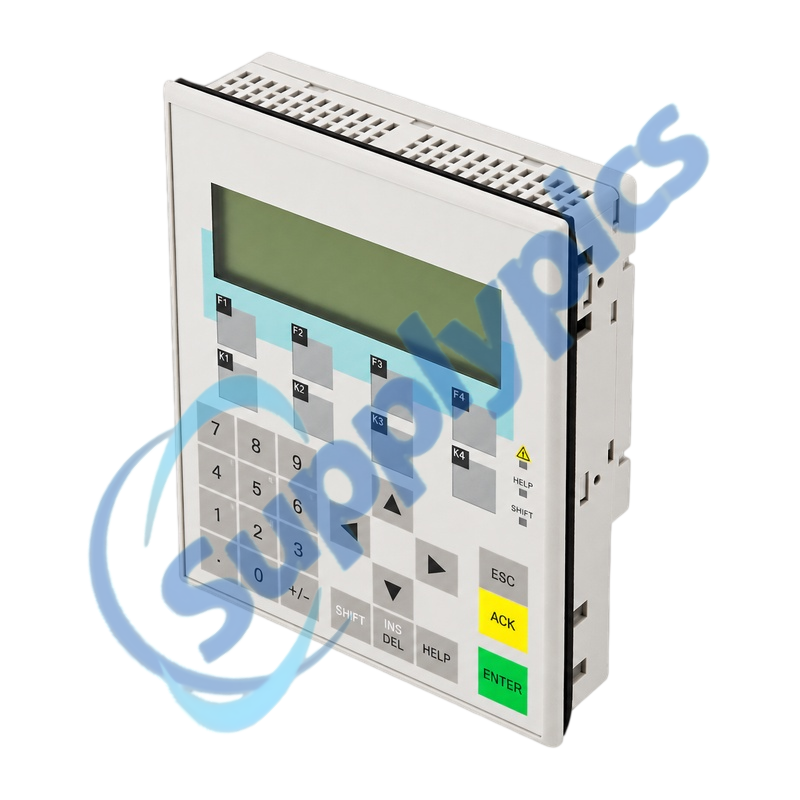
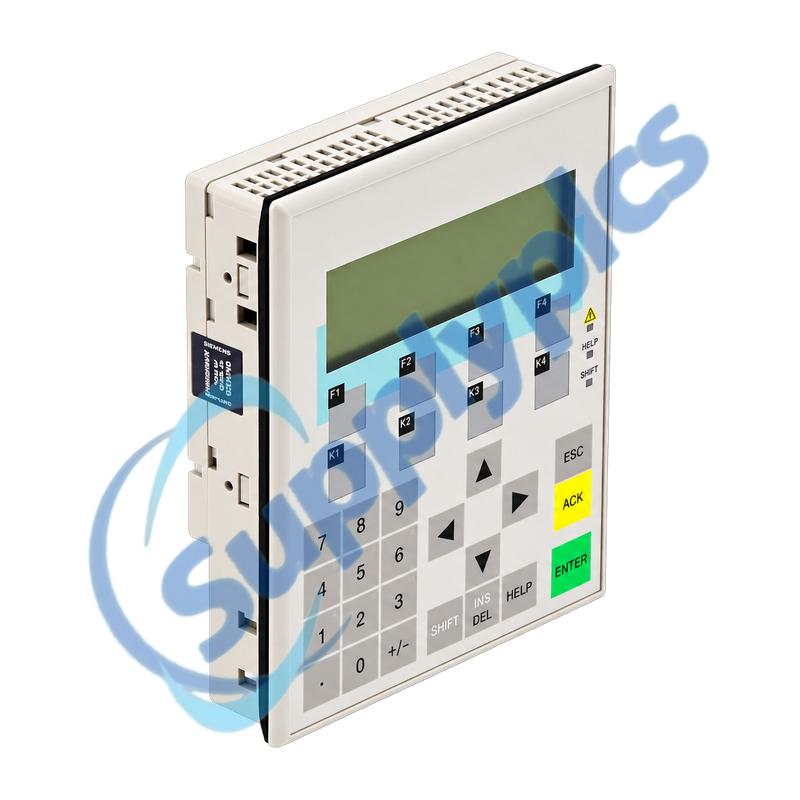
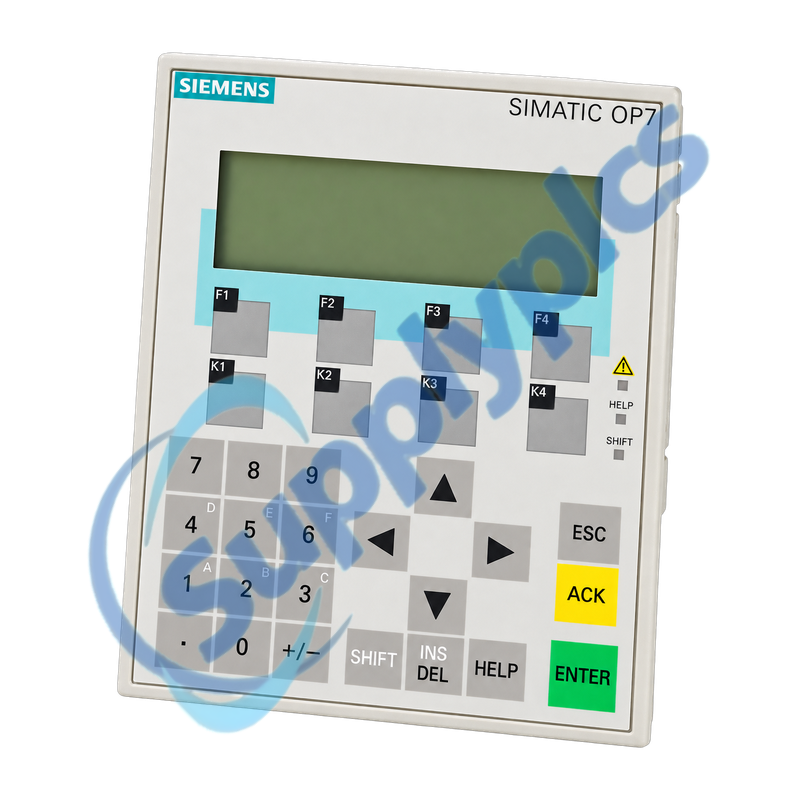
Siemens 6AV3607-1JC00-0AX1 SIMATIC HMI OP7/PP Operator Panel

Product Name: SIMATIC HMI OP7/PP Operator Panel
Brand Name: Siemens
Model Number: 6AV3607-1JC00-0AX1
Place of Origin: Germany
Warranty: 12 Months
Whatsapp: +86 18020776782
Appurtenance:
  • Overview
  • Description
  • Project Recovery
  • Specifications
  • Interface Check
  • Commercial Term
  • Contact info
  • FAQ
  • Other Products
  • Recommended Products
Legacy four-line text operator panel with PP serial communication for SIMATIC S5 and third-party controller links
The OP7/PP provides a four-line, 20-character LCD, eight function keys and serial interfaces for legacy operator control. A successful replacement depends on the original ProTool project, transfer path, PLC protocol and the exact PP interface version.
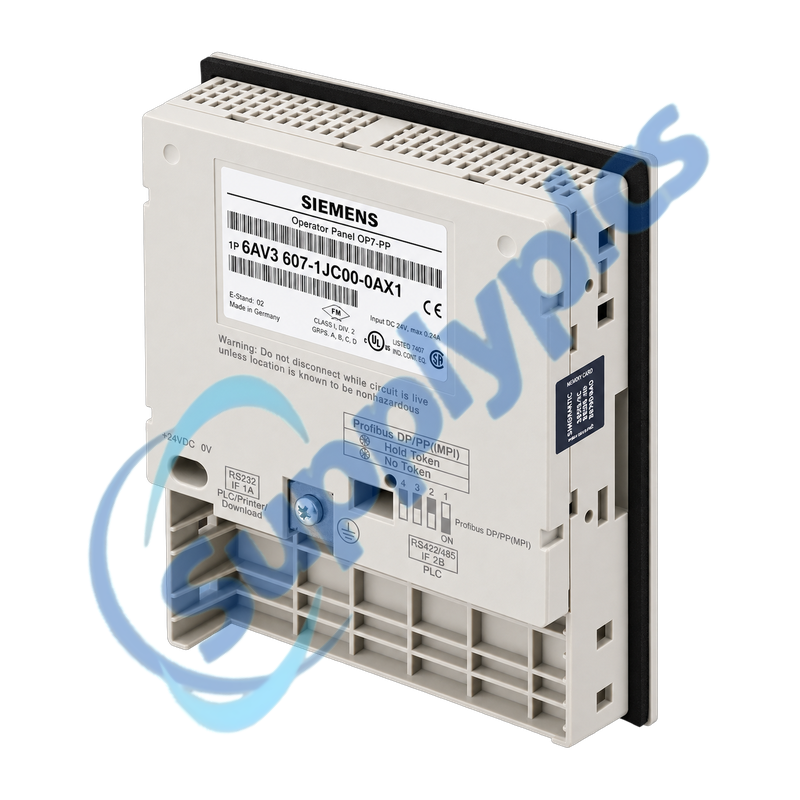
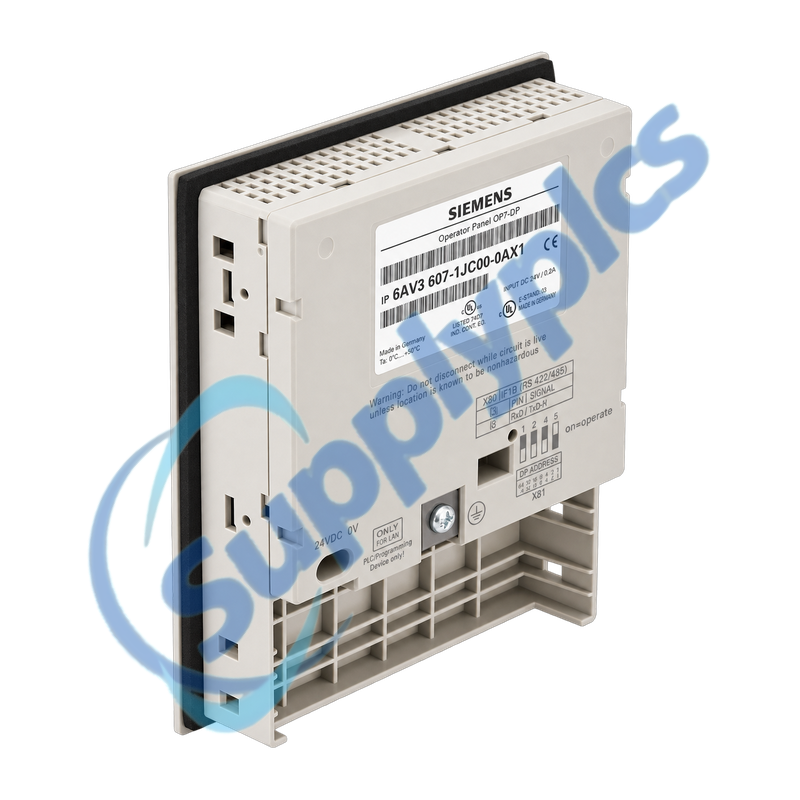
Project and interface check: Confirm the full 6AV3607-1JC00-0AX1 label, OP7/PP version, IF1A and IF1B wiring, PLC protocol, ProTool project, panel cutout and 24 V DC supply. Do not substitute an OP7/DP or OP7/DP-12 by appearance alone.

Description

6AV3607-1JC00-0AX1 is a SIMATIC HMI OP7/PP operator panel for text-based machine operation, messages and process-value entry. The PP version uses serial communication options and differs from the PROFIBUS-equipped OP7 variants.
Before removing the panel, preserve the editable ProTool project and document every interface, cable, PLC address, baud rate, function-key assignment and normal startup message. Verify that the selected engineering computer can transfer to the replacement panel before the outage.

Project Recovery

The recoverable HMI project and transfer method are as important as the replacement hardware.
Editable project
Keep the ProTool source, alarm texts, passwords, recipes, function-key assignments and PLC connection parameters.
Transfer path
Confirm the approved PC or programming-device cable, interface and transfer procedure before removing the working panel.
Version control
Record the installed panel firmware and ProTool version so the project can be compiled and downloaded without conversion surprises.

Specifications

Product type designation SIMATIC HMI OP7/PP
Order number 6AV3607-1JC00-0AX1
Display LCD with LED backlight, 4 lines x 20 characters
Operator keys 22 system keys and 8 function keys
Configuration memory 128 KB flash
Interfaces 1 x RS232, 1 x TTY and 1 x RS422/RS485
Supply 24 V DC; permissible range 18 to 30 V DC
Protection IP65 front; IP20 rear
Operating temperature 0 to 50 degrees C vertical; 0 to 35 degrees C horizontal
Dimensions 144 x 180 x 42.5 mm
Panel cutout 135 x 171 mm
Weight Approximately 0.43 kg

Interface Check

The PP serial interfaces must be matched to the installed PLC and cable pinout.
IF1A / IF1B
Photograph both connectors and identify whether the application uses RS232, TTY or RS422/RS485.
PLC protocol
Record PLC type, station address, baud rate, parity and any converter or isolator in the communication path.
Commissioning
Power the panel from a verified 24 V supply, load the approved project and test messages and operator writes with outputs controlled.

Commercial Term

Quotation
Current price and availability
Payment
T/T or agreed terms
Lead time
Confirmed with quotation
Shipping
DHL, FedEx, UPS or agreed freight
Warranty
12 months

Contact info

FAQ

Q1
How can I verify that 6AV3607-1JC00-0AX1 matches the installed OP7 panel?
Check the complete order number and confirm that the unit is the OP7/PP serial version. Compare the display, panel cutout, IF1A and IF1B connectors, 24 V supply and PLC protocol; OP7/DP variants are not automatic substitutes.
Q2
Which project files should be secured before replacing 6AV3607-1JC00-0AX1?
Preserve the editable ProTool project, not only a runtime transfer. Include alarm and event texts, passwords, recipes, function-key assignments, PLC connection settings and a record of the engineering software version that opens the project.
Q3
Why can 6AV3607-1JC00-0AX1 power up but show no process values?
Verify the loaded project, selected serial protocol, PLC address, baud rate and IF1 interface wiring. Inspect the communication cable and any TTY or RS422 converter, then check the panel system message before replacing hardware.
Q4
How should 6AV3607-1JC00-0AX1 be installed without damaging the enclosure seal?
Use the documented panel cutout, fit the rear gasket evenly and tighten the retaining hardware without distorting the plastic housing. Confirm IP65 contact at the front and provide strain relief for power and communication cables.
Q5
Which commissioning sequence is safest for 6AV3607-1JC00-0AX1?
Verify polarity and protective grounding, power the panel with the PLC connection isolated, load the approved project, then restore communications. Test messages, data entry, every function key and PLC writes under the machine safety procedure.
Q6
What evidence should be collected when 6AV3607-1JC00-0AX1 reports a transfer or communication fault?
Record the complete system-message number, operating mode, cable and interface used, PC and panel settings, project version and PLC state. Keep this evidence before resetting the panel because it separates project, cable and hardware causes.

Other Products

T675A ABB PSM0004 2RCA025059A0001Q RSX2 J4290-0001C
05605120 QUINT-PS/1AC/48DC/10 QK735A 653728-004
FP3313/FIL XF830A SDI-OE-S
NA200T IZMX-RP16A-200 LFI520 4100LR12
SC200-00 SCD2200-RTU PS-22 IC200MDD844F
IC200MDL650L ABB 1SDH001000R0505-B0821 BS6151 01 SP01
ZBRN2 FGR-002 AMAX-2241
8530D-I THS710 105S-1
SC42-EP08 AMAX-2241/PMA ADAP-KOOL
eWONx005CD CH-LMD1 SP-0108-H2

Get a Free Quote

Our representative will contact you soon.
Email
Name
Mobile
Company Name
Message
0/1000

Get a Free Quote

Our representative will contact you soon.
Email
Name
Mobile
Company Name
Message
0/1000