Get a Free Quote

Our representative will contact you soon.
Email
Name
Mobile
Company Name
Message
0/1000
siemens 6av6642 0ba01 1ax1 simatic tp177b 6 inch pn dp color touch panel-0

SIEMENS

Home >  Products >  SIEMENS

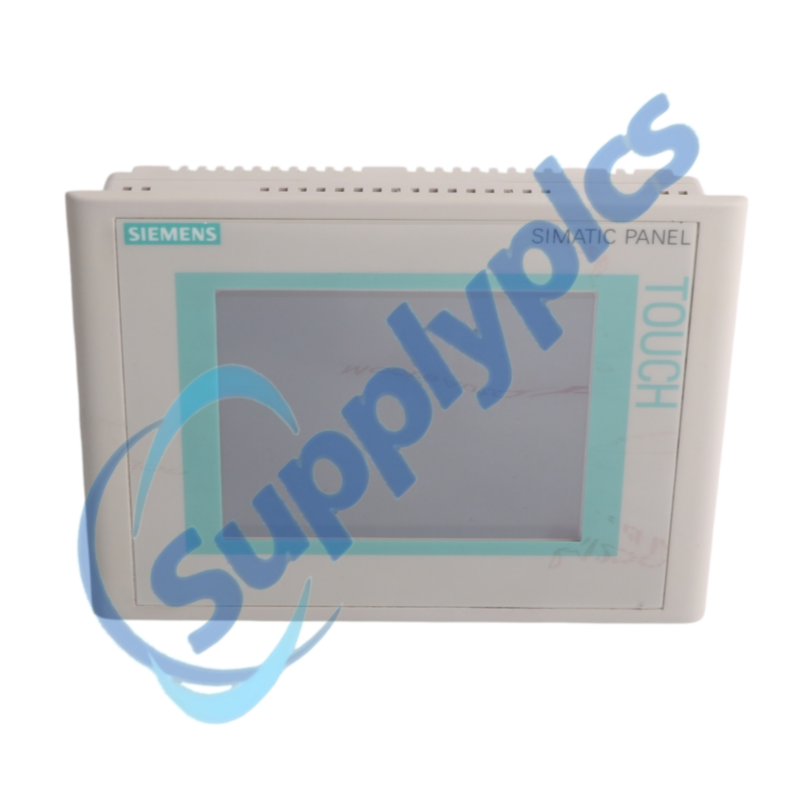
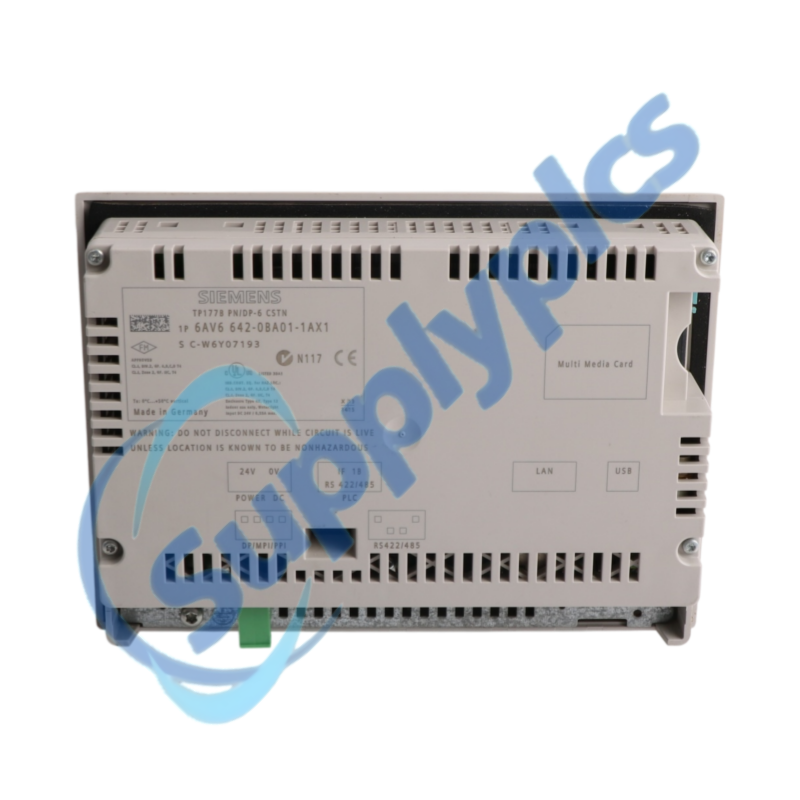
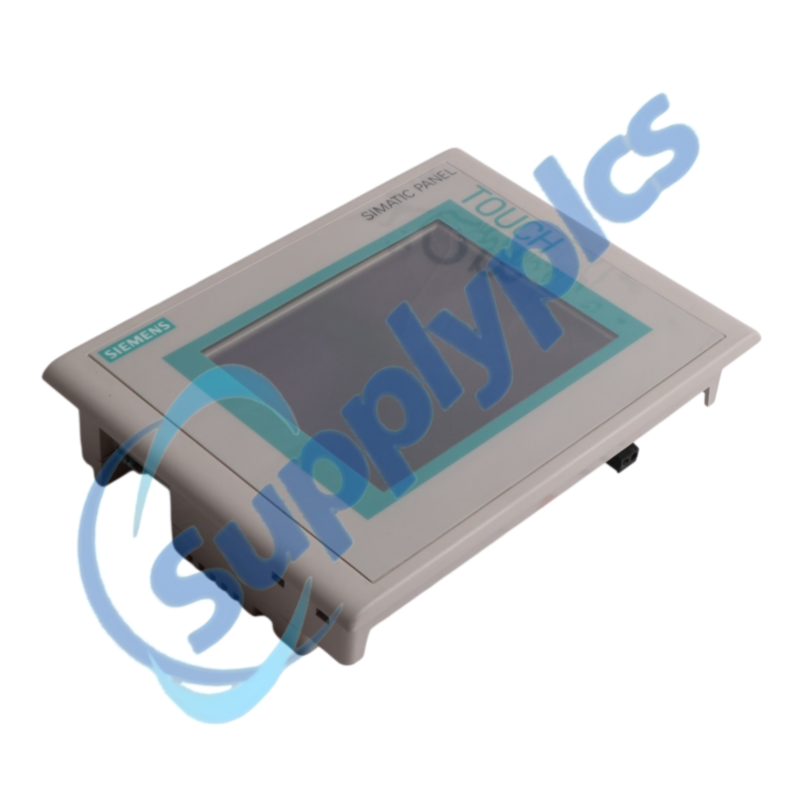
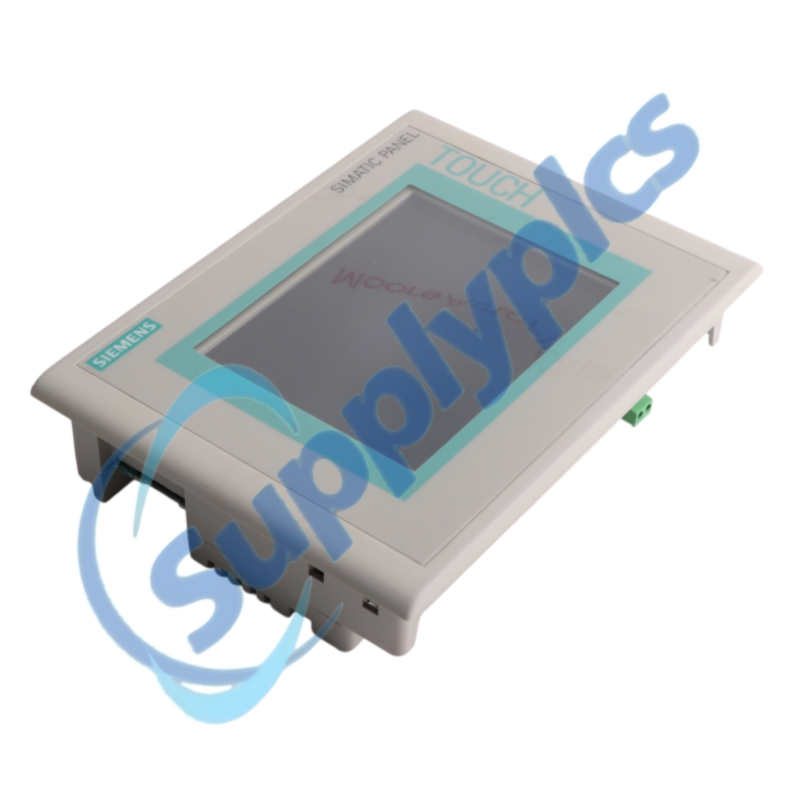
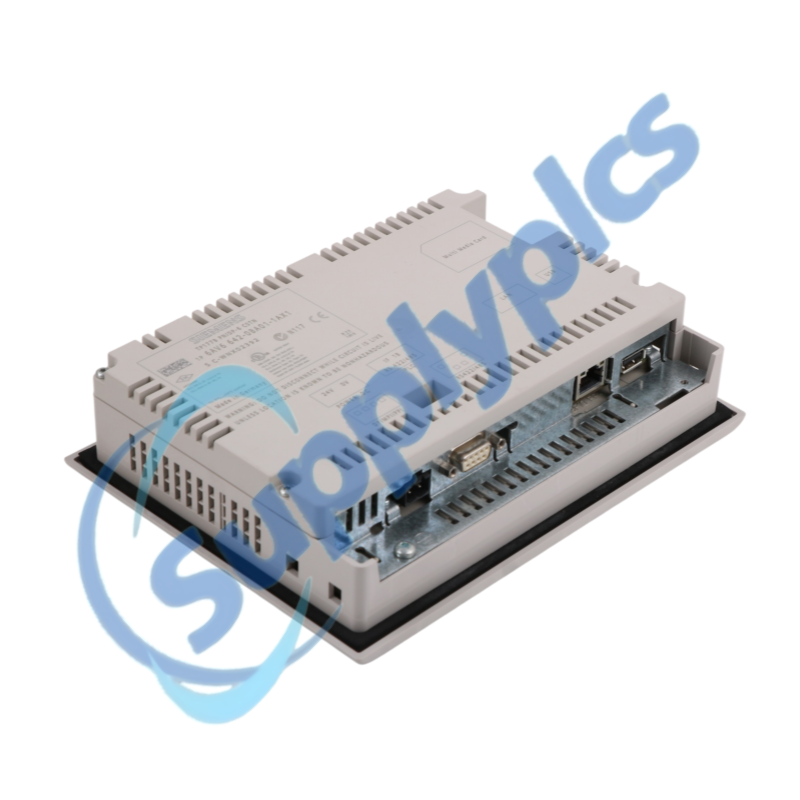
Siemens 6AV6642-0BA01-1AX1 SIMATIC TP177B 6-inch PN/DP Color Touch Panel

Product Name: SIMATIC TP177B 6-inch PN/DP Color Touch Panel
Brand Name: Siemens
Model Number: 6AV6642-0BA01-1AX1
Place of Origin: Germany
Warranty: 12 Months
Whatsapp: +86 18020776782
Appurtenance:
  • Overview
  • Panel Guide
  • Specifications
  • Commercial Term
  • Contact info
  • FAQ
  • Other Products
  • Recommended Products
Legacy touch operation with Ethernet, PROFINET IO and PROFIBUS connectivity
The Siemens SIMATIC TP177B 6-inch PN/DP Color is a 5.7-inch resistive touch panel with a 320 × 240 STN display, 2 MB user memory and interfaces for Industrial Ethernet, RS422/RS485, USB and MPI/PROFIBUS DP.
Legacy-system check: Confirm the panel cutout, 24 V DC supply, WinCC flexible project, PLC protocol and hardware revision before selecting 6AV6642-0BA01-1AX1 as a service replacement.

Panel Guide

6AV6642-0BA01-1AX1 is listed by Siemens as a spare part for established HMI installations. Its project, recipes, messages, communication parameters and memory-card use are specific to the machine and must be secured before removal.
The panel supports PROFINET IO, PROFIBUS, EtherNet/IP, TCP/IP and MODBUS. Successful replacement depends on the correct project software, interface parameters, termination and PLC data-area configuration rather than on physical fit alone.
Configuration and programming
A verified HMI project is the most important replacement asset.
Project software
Identify the original WinCC flexible or supported TIA Portal version before opening or migrating the project.
Data preservation
Back up screens, messages, recipes, passwords, connection settings and any removable-memory content.
Protocol matching
Confirm the PLC driver, station address, baud rate or Ethernet parameters and controller data areas.
Installation and acceptance
Protect the machine configuration and the panel seal during installation.
Mechanical check
Measure the existing cutout and verify the sealing surface, clamps and permissible mounting angle.
Electrical check
Confirm 24 V DC stability, protective-earth bonding, connector pinout and PROFIBUS termination.
Functional acceptance
Test touch calibration, messages, PLC values, recipes, alarms and every operator action before release.

Specifications

Product type designation
TP177B 6-inch PN/DP Color
Order number
6AV6642-0BA01-1AX1
Display
5.7-inch STN color display; 256 colors
Resolution
320 × 240 pixels
Operator control
Analog resistive touch screen
User memory
2,048 KB
Interfaces
Industrial Ethernet, RS422, RS485 and USB
Protocols
PROFINET IO, PROFIBUS, EtherNet/IP, TCP/IP and MODBUS
Configuration software
WinCC flexible Compact 2005 or higher
Front protection
IP65; NEMA 4x and NEMA 12 when installed
Operating temperature
0 to 50 °C
Product status
Siemens spare-part product

Commercial Term

Quotation
Current price and availability
Payment
T/T or agreed terms
Lead time
Confirmed with quotation
Shipping
DHL, FedEx, UPS or agreed freight
Warranty
12 months

Contact info

FAQ

Q1
How should I verify that 6AV6642-0BA01-1AX1 matches the installed operator panel?
Do not order until the panel mechanics, interface and recoverable project all match. Compare the complete order number, hardware revision, panel cutout, display and touch type, 24 V DC wiring, communication interface and the available HMI project. Confirm the controller and protocol before ordering.
Q2
What should I back up before replacing 6AV6642-0BA01-1AX1?
Stop the replacement if neither an editable WinCC project nor a validated panel backup can be restored. Secure the editable WinCC project and any restorable panel backup, including screens, messages, recipes, passwords and communication settings. Record the PLC address, network parameters, cable termination and memory-card use.
Q3
Why can 6AV6642-0BA01-1AX1 start normally but show no PLC values?
A normal startup with missing PLC values usually indicates the wrong project, driver or station parameters. Check that the correct project is loaded, then compare the selected driver, PLC address, Ethernet or PROFIBUS parameters, cable termination and controller data areas. Review panel and PLC diagnostics before replacing hardware.
Q4
How should I commission 6AV6642-0BA01-1AX1 after restoring the project?
Release the machine only after the restored project passes an operator-level acceptance test. Place the machine in a safe maintenance state, verify power and communication first, then test touch calibration, every screen, alarms, acknowledgments, recipes and operator commands against the machine acceptance checklist.
Q5
What should I inspect when the touch response of 6AV6642-0BA01-1AX1 is inaccurate or intermittent?
Treat inaccurate touch response as a front-surface, calibration or environment issue before condemning the electronics. Clean the front with an approved method, recalibrate the touch screen and check for protective films, edge pressure, moisture, supply instability and cabinet temperature. Document whether the fault follows heat or vibration.
Q6
Which information should I provide when requesting a service spare for 6AV6642-0BA01-1AX1?
A service-spare request must identify both the physical panel and its engineering environment. Provide the exact order number, hardware revision, project software and version, controller type, protocol, panel-cutout dimensions and clear photos of the front, nameplate and rear connectors.

Other Products

371-03785-001 Linc232 - UCS RS232-LAN
YTA70-J PT100
UC24PGR
H2-2206
POL95U.00/STD
371-03785-001 RS232-LAN
POL635.00/STD
440R-G23216
POL95U.00
002640
KS40 - 9404 406 40991
110063001 2RP
PM5300 METSEPM5320
POL635.00
3113A
AMAG 7000-5234-1、4000-4175-2
107-MX
140 CPU 113 02
1SAP450000R0001 AO523
CU351O 100-240V9
PXM20
440R-G23216 MSR142RTP
EY200
ENCL-MZ800-PAN
295619-003
PDT 3100 /STBPDT3100
IQE35-1201U80035
6590 COMP-Y/C
MMX-400 / MMX-1 300
LV540003 CVS400F

Get a Free Quote

Our representative will contact you soon.
Email
Name
Mobile
Company Name
Message
0/1000

Get a Free Quote

Our representative will contact you soon.
Email
Name
Mobile
Company Name
Message
0/1000