Get a Free Quote

Our representative will contact you soon.
Email
Name
Mobile
Company Name
Message
0/1000
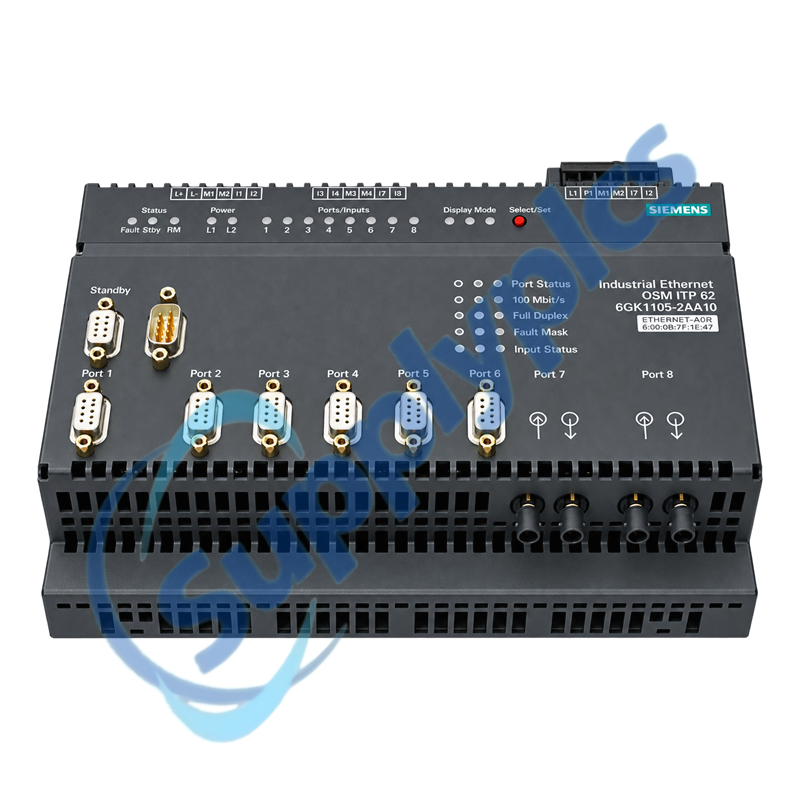
siemens 6gk1105 2aa10 simatic net osm itp62 optical switch module-0

SIEMENS

Home >  Products >  SIEMENS

Siemens 6GK1105-2AA10 SIMATIC NET OSM ITP62 Optical Switch Module

Product Name: SIMATIC NET OSM ITP62 Optical Switch Module
Brand Name: Siemens
Model Number: 6GK1105-2AA10
Place of Origin: Germany
Warranty: 12 Months
Whatsapp: +86 18020776782
Appurtenance:
  • Overview
  • Network Design
  • Description
  • Diagnostics
  • Specifications
  • Commercial Term
  • Contact info
  • FAQ
  • Other Products
  • Recommended Products
Managed optical switch for resilient Industrial Ethernet and legacy ITP device connections
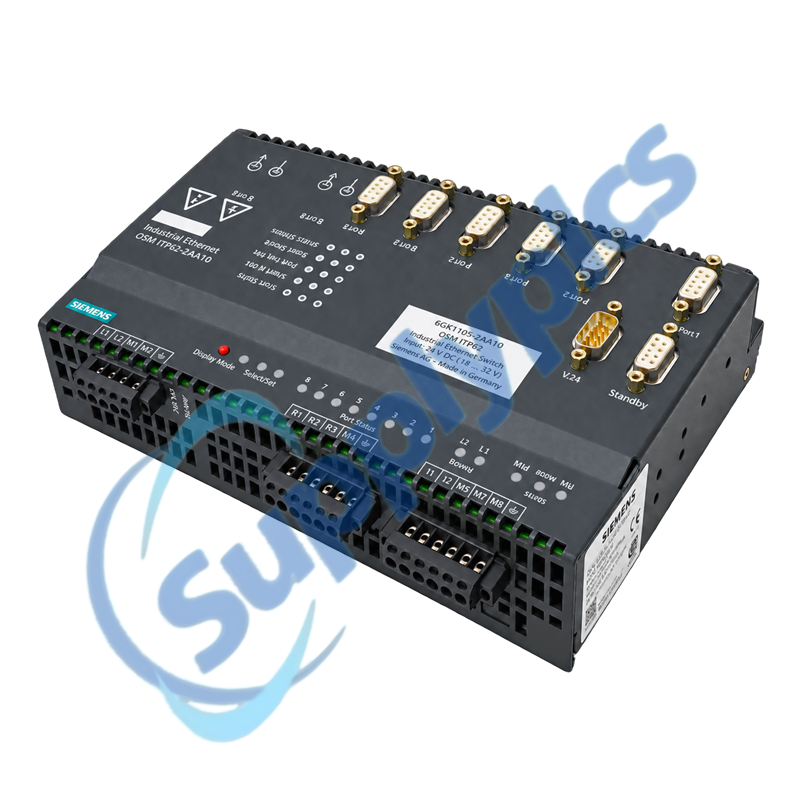
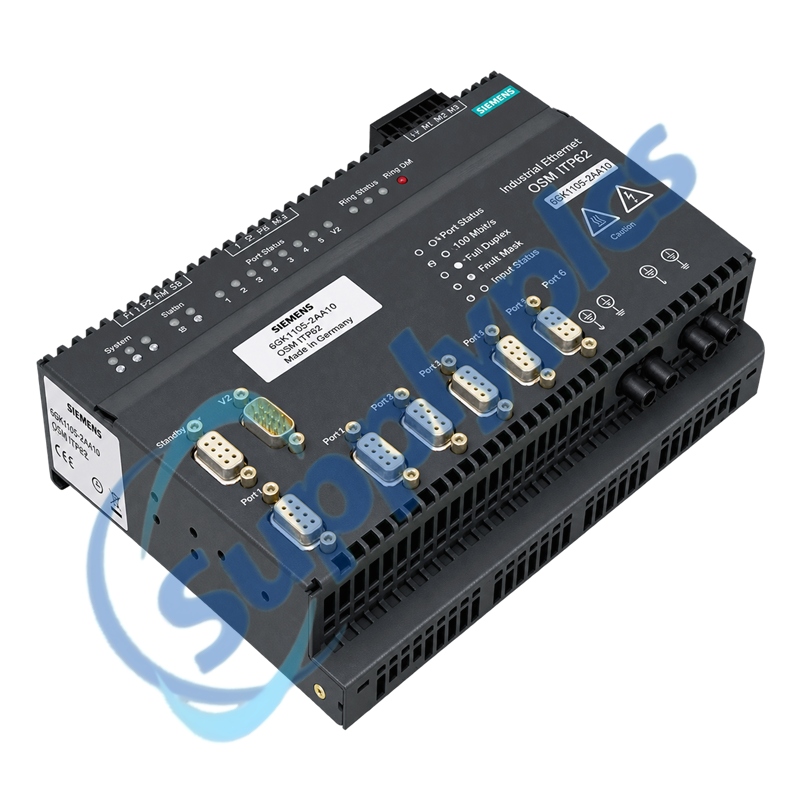
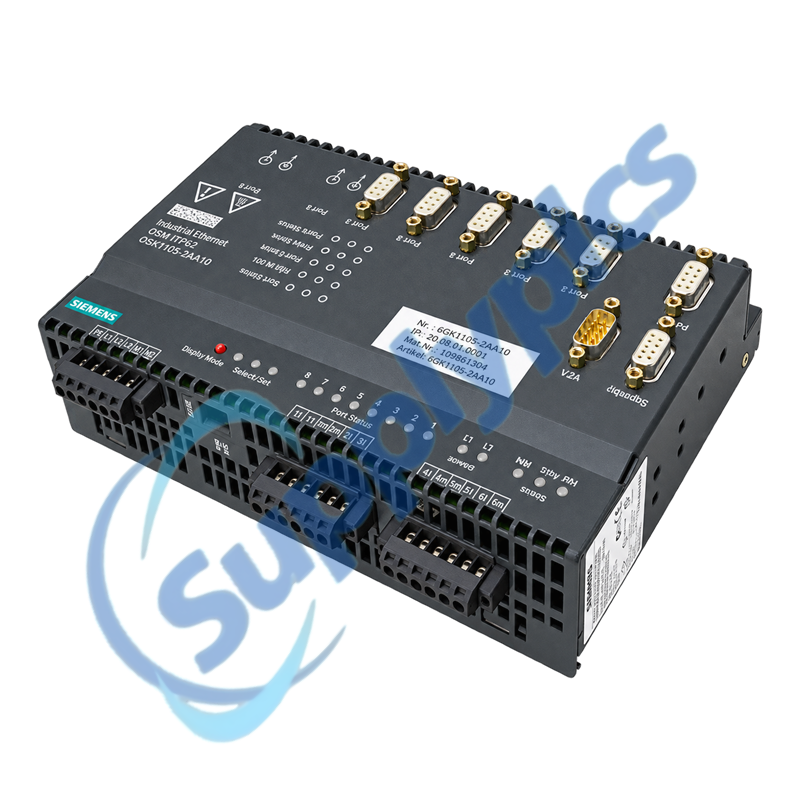
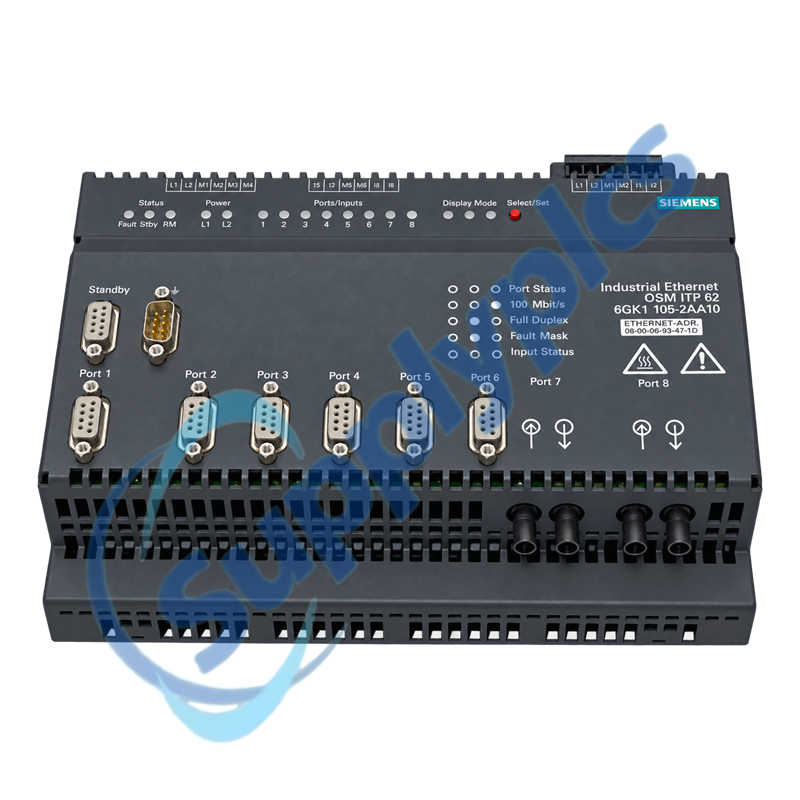
The Siemens OSM ITP62 combines two 100 Mbit/s multimode BFOC optical ports with six 10/100 Mbit/s ITP ports, eight digital inputs, redundant 24 V DC supply options and integrated redundancy management.
Network replacement check: Match the exact order number, BFOC multimode fiber, ITP pinout, port map, ring role, 24 V supply, firmware and management configuration before replacing an installed OSM.

Network Design

The OSM should be replaced with a documented port-by-port network plan and verified optical path.
Optical path
Confirm multimode fiber type, BFOC connector condition, link budget, partner port and both transmit and receive paths.
Port map
Label all six ITP device links and both optical uplinks before moving cables to preserve the original topology.
Redundancy role
Record ring-manager, standby and coupling settings plus the expected recovery behavior before commissioning.

Description

6GK1105-2AA10 is a managed SIMATIC NET Optical Switch Module for industrial network segments that mix fiber backbone links with 9-pin Sub-D ITP connections. The official datasheet specifies two BFOC multimode ports and six ITP ports.
Because the OSM can participate in ring and standby redundancy, replacement planning must preserve the physical port map and managed settings. Capture network-management data, redundancy roles, digital-input wiring and alarm contact behavior before removal.

Diagnostics

Link LEDs, digital inputs, the signaling contact and managed diagnostics should be reviewed before hardware is replaced.
Configuration backup
Export or record IP settings, redundancy parameters, port states, alarms and network-management access.
Power check
Test both 24 V DC feeds under load and confirm the signaling contact and grounding arrangement.
Fault isolation
Compare local and partner port status, inspect fiber cleanliness and review error counters before changing the switch.

Specifications

Product type designation
SIMATIC NET OSM ITP62
Order number
6GK1105-2AA10
Copper interfaces
6 x ITP, 9-pin Sub-D, 10/100 Mbit/s
Optical interfaces
2 x BFOC/ST multimode, 100 Mbit/s
Digital inputs
8
Supply voltage
24 V DC, 18 to 32 V DC
Redundant supply
Supported
Power loss
20 W at 24 V DC
Operating temperature
0 to +60 degrees C
Degree of protection
IP20
Dimensions
217 x 161 x 69 mm
Net weight
1.4 kg

Commercial Term

Quotation
Current price and availability
Payment
T/T or agreed terms
Lead time
Confirmed with quotation
Shipping
DHL, FedEx, UPS or agreed freight
Warranty
12 months

Contact info

FAQ

Q1
How should I verify that 6GK1105-2AA10 matches my installed optical switch before ordering?
Compare the complete order number, six ITP connections, two multimode BFOC ports, supply and alarm wiring, mounting method, firmware and configured redundancy role.
Q2
Why can an optical port on 6GK1105-2AA10 remain inactive after cable reconnection?
Confirm multimode fiber and BFOC connector type, clean both ends, verify transmit-to-receive orientation, inspect the partner port and compare local and remote link indications.
Q3
What should I back up before replacing 6GK1105-2AA10 in a managed network?
Record the IP address, management access, port configuration, ring or standby settings, digital-input assignments, alarm contact, firmware and the labeled cable destination for every port.
Q4
How should I troubleshoot a ring that does not recover after installing 6GK1105-2AA10?
Verify the documented ring-manager and standby roles, confirm both optical links and port assignments, compare firmware and configuration, then test recovery under an approved maintenance window.
Q5
What should I inspect when 6GK1105-2AA10 restarts or loses links intermittently?
Measure both 24 V DC feeds under load, inspect terminal blocks and grounding, check cabinet temperature and vibration, and review error counters and the first recorded alarm.
Q6
Which information should I provide when requesting 6GK1105-2AA10 as a legacy network spare?
Provide the full order number, firmware, network diagram, optical fiber and connector type, ITP port map, redundancy role, supply arrangement and clear photos of all labels and wiring.

Other Products

SL0105 -SLG23CEEAKOA/PH
601P-M
HIT-DE 150ww RX7s-24
BCM603-2S
MAUX2
VJP-4E
2197017-04 - 850
22D-D2P3N104
TMS 1308 CE A PN 318312
800-001-2000
DH6021H
8L501-101
62703310
CC-PAIH01 51405038-175 CC-TAIX01
712-00226
E200 24VDC 02800F
ABB GHQ 605 0056 R0002
DDM-163
XD508
DIN-4DIMFLV4 6501749
3300 XL 5/8MM 330180-12-05
ADAM-5000
KJ2003X1-BA2 12P2093X112
GS-CO-S
AIO16R-L
EC30 50100-00
LON-LON
HIT-DE 150 ww RX7s-24
GHQ6050059R0006
BP3-1V11B5C111

Get a Free Quote

Our representative will contact you soon.
Email
Name
Mobile
Company Name
Message
0/1000

Get a Free Quote

Our representative will contact you soon.
Email
Name
Mobile
Company Name
Message
0/1000