Get a Free Quote

Our representative will contact you soon.
Email
Name
Mobile
Company Name
Message
0/1000
woodward 5453 203 micronet tmr display panel-0

WOODWARD

Home >  Products >  WOODWARD

WOODWARD MicroNet TMR 5453-203 Display Panel / Operator Interface | In Stock

WOODWARD · MICRONET TMR
5453-203
Display Panel / Operator Interface
LEGACY SPARE
IN STOCK
Original unit
Official identity: Panel – Display  ·  Rear interface: RX/TX fiber optic input  ·  Power: 24 VDC
Order check: Match P/N 5453-203, host configuration, connector condition and revision before purchase.
Email InquiryWhatsApp[email protected]   |   +86 18159889985
Appurtenance:
  • Overview
  • Visual Proof
  • Interfaces
  • Controls
  • Installation
  • Fit Check
  • Diagnostics
  • Order Info
  • FAQ
  • Recommended Products
OFFICIAL IDENTIFICATION
WOODWARD 5453-203
MicroNet TMR Panel – Display
SYSTEM POSITION
Operator interface

Designed as a display panel within supported MicroNet TMR control configurations.

Signal and power path
MicroNet TMR host   ⇄   RX/TX fiber   ⇄   5453-203 display panel
Separate 24 VDC input powers the panel.
Procurement note: Woodward documentation identifies 5453-203 as “PANEL – DISPLAY.” Because it is a legacy part, confirm the exact part number and application before replacement.

Visual Proof

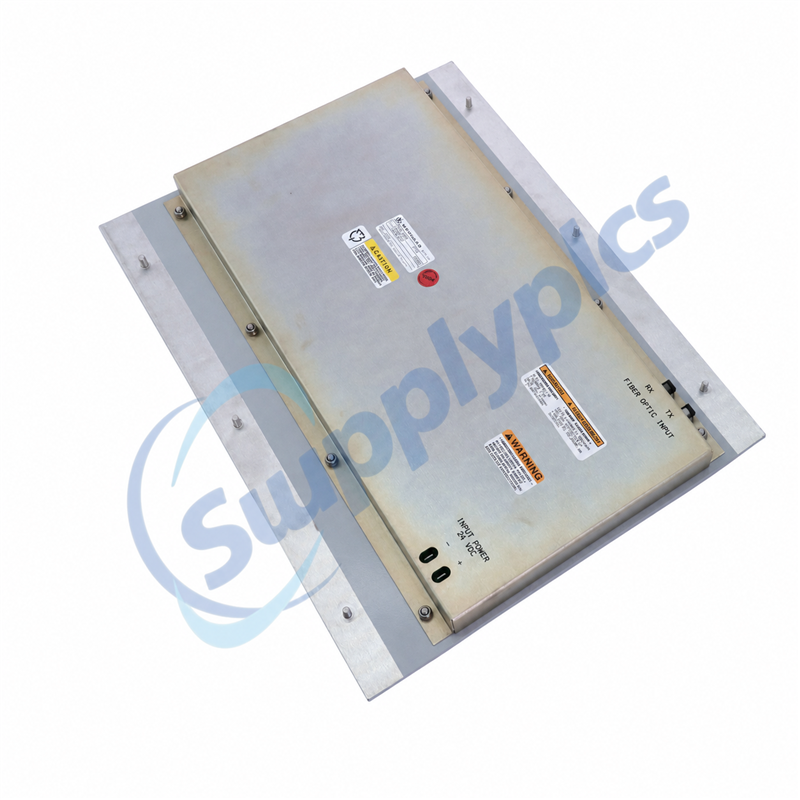
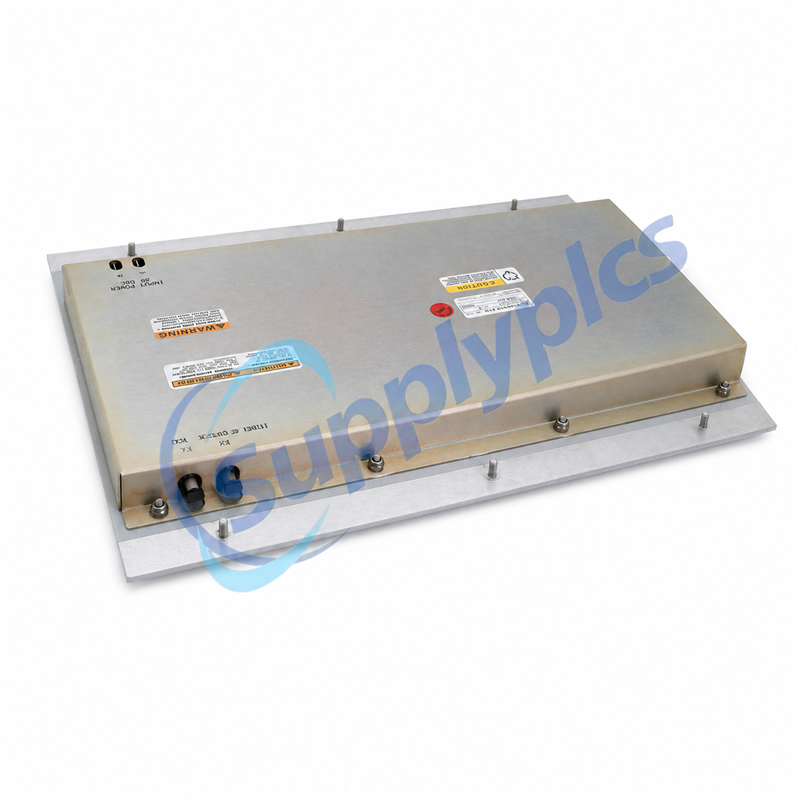
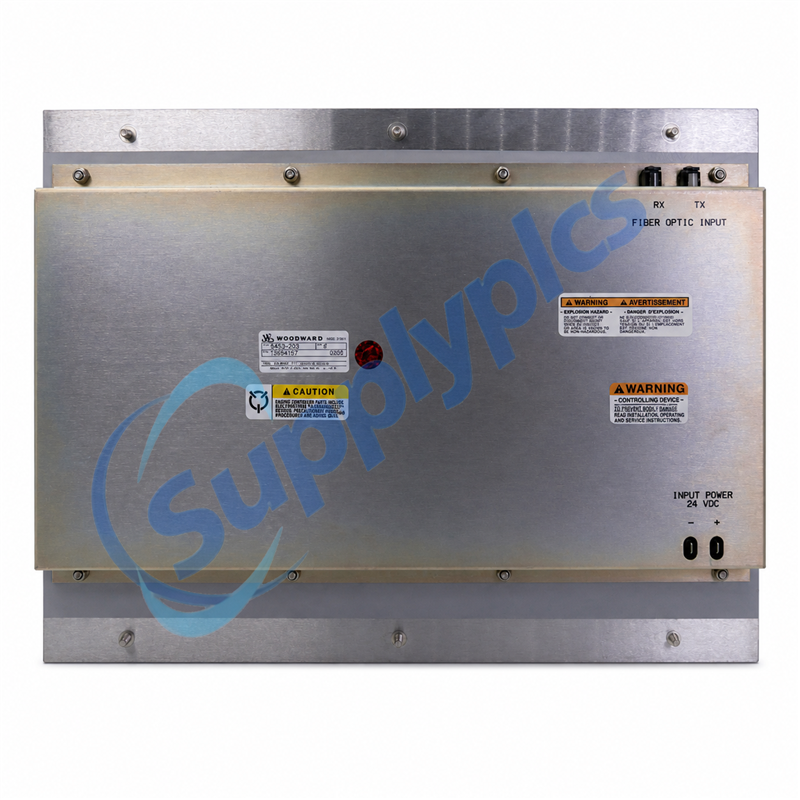
WOODWARD 5453-203 rear power and fiber connections
Rear-label detail
The actual-unit photograph shows the Woodward nameplate, RX/TX fiber-optic input and 24 VDC power markings for a direct visual check.
What this view confirms
Use the rear view to compare the exact hardware before ordering. The visible markings help verify the interface and power arrangement against the installed panel.
P/N identity
Match 5453-203 on the unit label.
Fiber link
RX and TX optical points are visible.
Power input
Rear terminals are marked 24 VDC.
Mounting
Compare panel plate and installation space.

Interfaces

COMMUNICATION
RX / TX fiber

Rear fiber-optic input points are marked RX and TX on the supplied unit.

POWER INPUT
24 VDC

Polarity markings are shown at the rear power terminals. Verify supply and wiring before energizing.

Controls

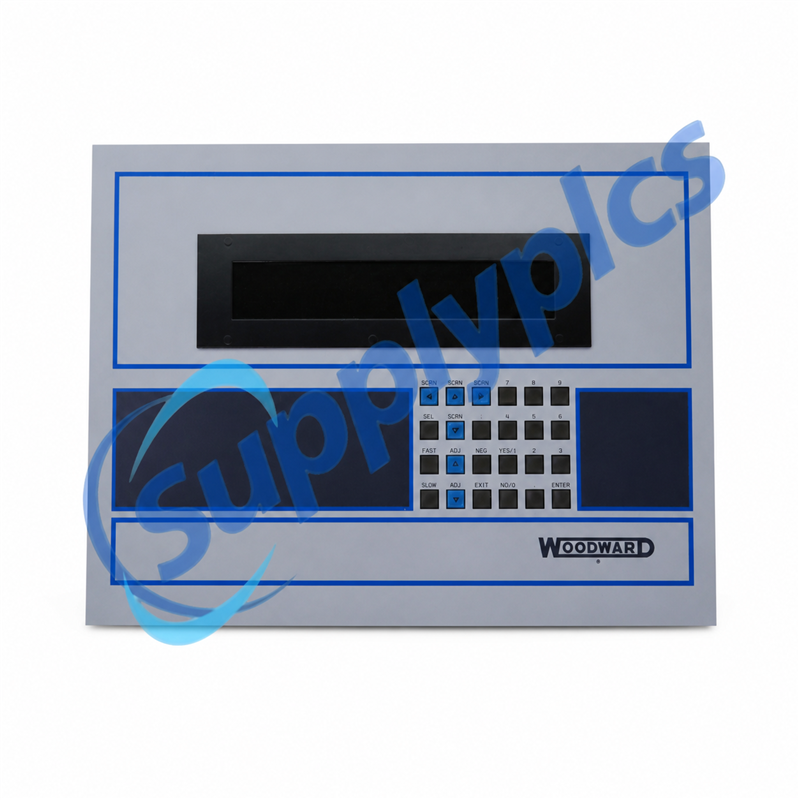
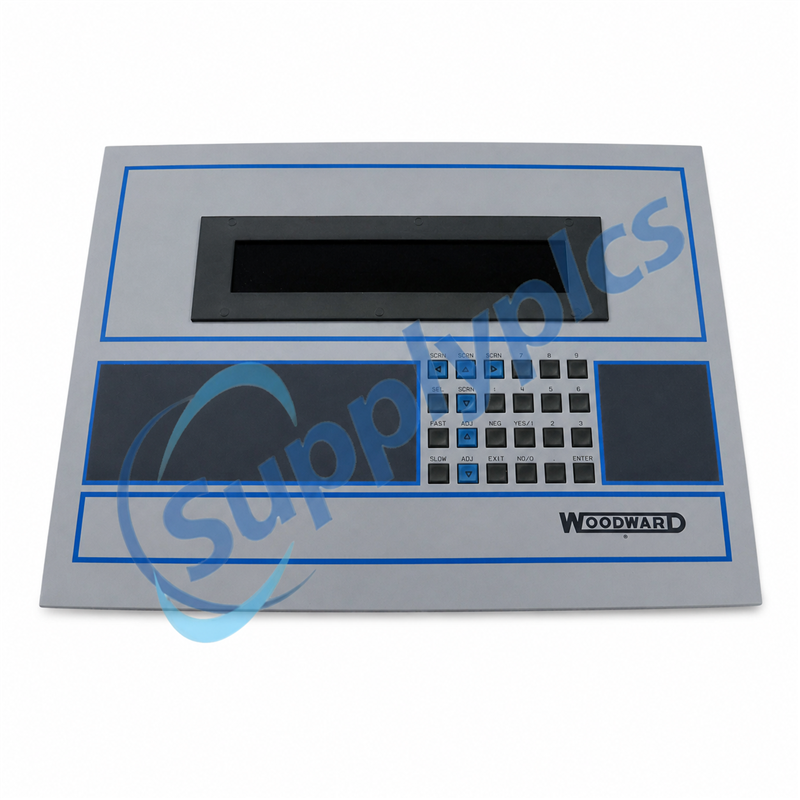
Screen navigationSelect / EnterAdjustFast / SlowYes / NoNumeric keys

The physical keypad shown on the front panel supports local navigation and entry. Exact screen functions depend on the host application configuration.

Installation

Pre-install checklist
1. Isolate power and follow the host system service procedure.
2. Confirm panel P/N 5453-203 and mounting arrangement.
3. Inspect RX/TX fiber connectors; keep optical ends clean and correctly routed.
4. Verify 24 VDC polarity before connection.
5. Restore power and confirm the expected display and keypad response in the host application.

Fit Check

Match before ordering
Part number
5453-203 on the product label
Host system
Supported MicroNet TMR configuration
Connections
RX/TX fiber and 24 VDC input
For the fastest confirmation, send a clear nameplate photo, existing panel photo and required quantity.

Diagnostics

Symptom-based checks

No display: verify 24 VDC supply, polarity and terminal condition.

No host communication: check RX/TX fiber routing, connector cleanliness and seating.

Key response issue: confirm the host application screen and keypad mapping before replacing hardware.

Replacement mismatch: compare the full Woodward part number and label information, not appearance alone.

Order Info

BUYER CHECKPOINTS
Stock, condition and transaction details
Commercial details are confirmed for the exact unit in the written quotation.
Real stock
Actual-unit photos are available; live quantity is reconfirmed before quotation.
Condition
New, used or refurbished status is stated for the exact offered unit—never inferred from a model number.
Nameplate proof
A clear physical nameplate photo can be provided before order confirmation.
Warranty
Warranty term is confirmed in writing according to unit condition and quotation.
Dispatch time
Dispatch window is confirmed after stock, payment and destination are checked.
Testing
Inspection/test status for the offered unit is stated on the quote; supporting evidence can be requested.
Payment
Supported payment methods and beneficiary details are listed on the proforma invoice for verification.
Quote response
Send P/N, quantity and destination for the fastest response; timing is confirmed when the inquiry is received.
Company verification: Request the legal company name, invoice details and matching bank beneficiary before payment. Product photos, quotation and order records can be retained for traceability.
Email InquiryWhatsApp
Email: [email protected] | WhatsApp: +86 18159889985

FAQ

Is 5453-203 a stand-alone controller?
No. Woodward lists it as a panel display; verify the supported host configuration.
What should I confirm before ordering?
Exact part number, host system, RX/TX fiber interface, 24 VDC input, mounting and revision/application details.
What should I send for a quote?
Nameplate photo, unit photos, quantity and delivery destination.

Get a Free Quote

Our representative will contact you soon.
Email
Name
Mobile
Company Name
Message
0/1000

Get a Free Quote

Our representative will contact you soon.
Email
Name
Mobile
Company Name
Message
0/1000