Get a Free Quote

Our representative will contact you soon.
Email
Name
Mobile
Company Name
Message
0/1000
siemens 6gk5612 0ba10 2aa3 scalance s612 security module-0

SIEMENS

Home >  Products >  SIEMENS

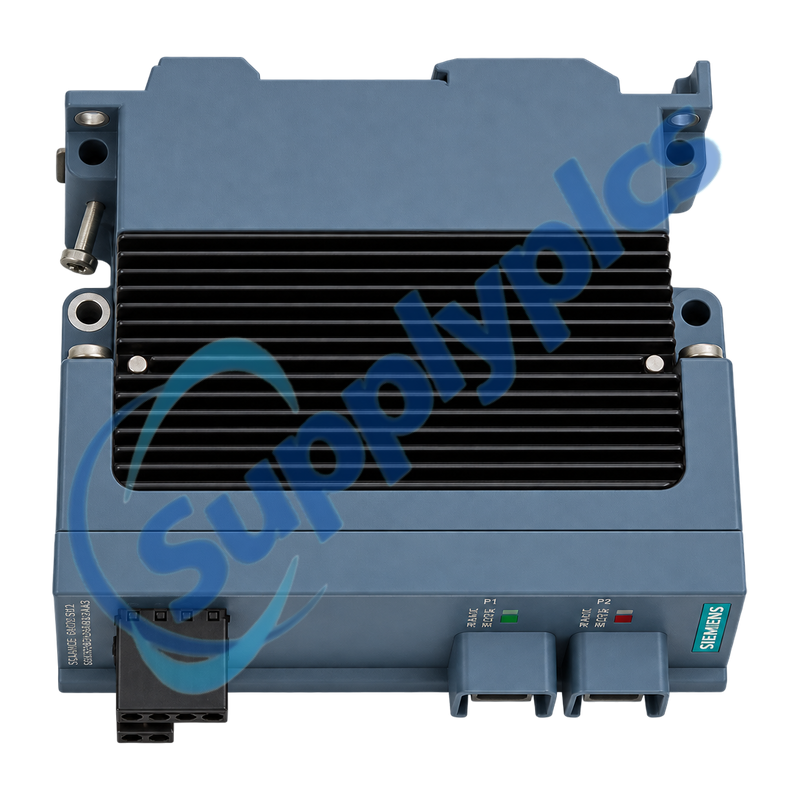
Siemens 6GK5612-0BA10-2AA3 SCALANCE S612 Security Module

Product Name: SCALANCE S612 Industrial Security Module
Brand Name: Siemens
Model Number: 6GK5612-0BA10-2AA3
Place of Origin: Germany
Warranty: 12 Months
Whatsapp: +86 18020776782
Appurtenance:
  • Overview
  • Description
  • Security Policy
  • VPN Diagnostics
  • Specifications
  • Contact info
  • Commercial Term
  • FAQ
  • Other Products
  • Recommended Products
Industrial firewall and IPsec VPN module for separating and protecting automation networks
SCALANCE S612 protects an internal automation cell through stateful firewalling, IPsec VPN, NAT/NAPT, static routing, DHCP and detailed security logs. Replacement requires both a physical port map and a controlled copy of the approved security policy, identities and time settings.
Security policy and identity checkConfirm the internal and external port assignments, IP and routing plan, firewall and NAT rules, VPN peers, PSK or certificates, device time, users, DHCP settings, C-PLUG, redundant power and signaling contact before replacement. Never bypass the module with a temporary open connection.

Description

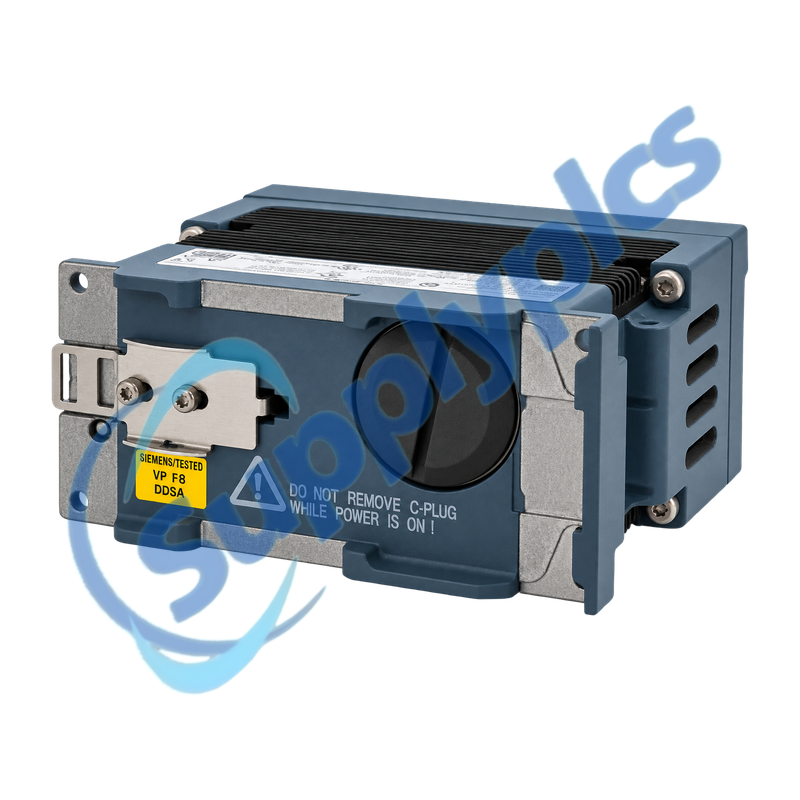
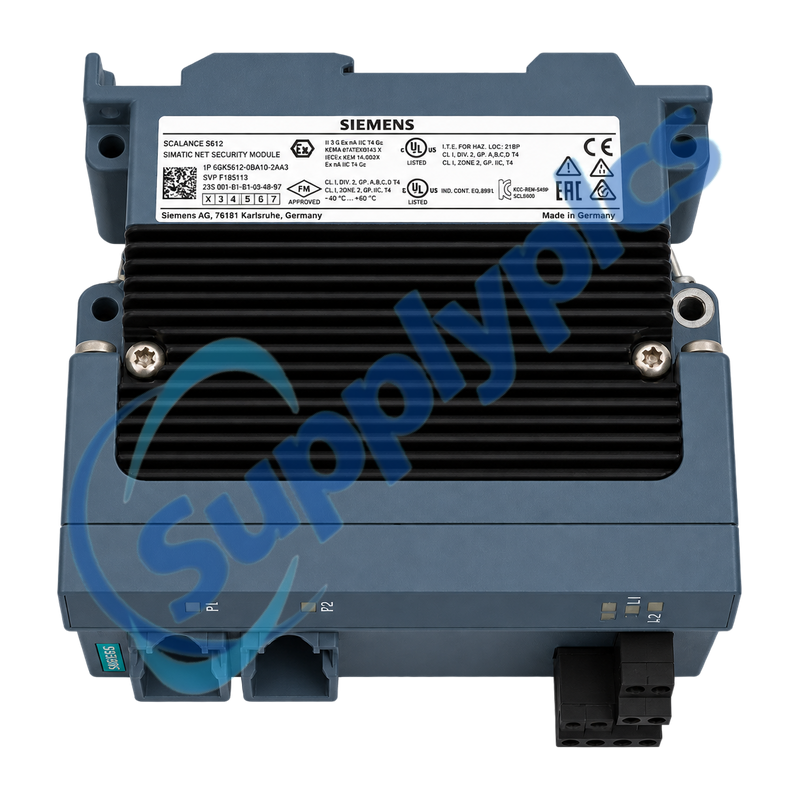
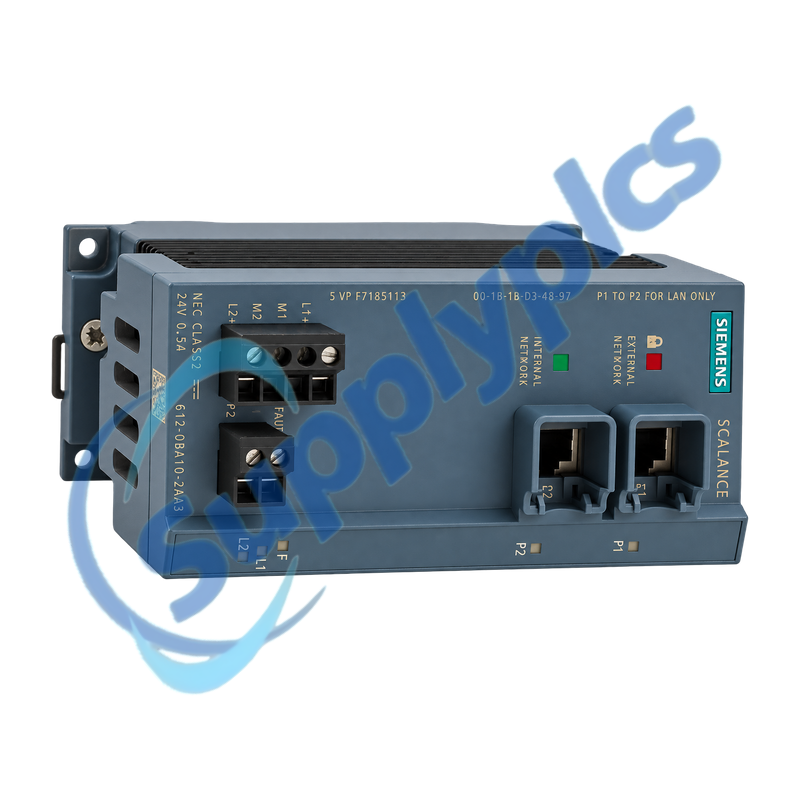
6GK5612-0BA10-2AA3 is the SCALANCE S612 security module for industrial network segmentation and protected remote connections. It provides separate internal and external Gigabit-capable Ethernet ports, stateful firewalling, IPsec VPN, NAT/NAPT, DHCP, routing and audit, packet-filter and system logs.
Before service, export the Security Configuration Tool project and preserve certificates, keys and the approved rule set under the site access-control procedure. Commission the replacement on an isolated maintenance path, then validate required flows, blocked flows, VPN behavior and alarm reporting before production reconnection.

Security Policy

The firewall is only one part of the controlled configuration that must be preserved during replacement.
Rule set
Export firewall, NAT, routing, DHCP, users and management settings from the approved SCT project.
Trust material
Secure PSKs, X.509 certificates, private keys and device credentials under the site security procedure.
Port identity
Label the internal and external networks and record IP, gateway, DNS or DynDNS and PPPoE dependencies.

VPN Diagnostics

Diagnose the path from link and time synchronization through authentication, negotiation and routed application traffic.
Foundation
Check power, link, interface addressing, routes, device time and peer reachability before changing cryptography.
Negotiation
Compare peer identities, PSK or certificates, encryption, authentication and tunnel selectors at both ends.
Traffic proof
Review packet-filter, audit and system logs, then test approved and blocked flows across the restored tunnel.

Specifications

Product type designation
SCALANCE S612
Order number
6GK5612-0BA10-2AA3
Network ports
1 internal and 1 external RJ45 port
Transfer rates
10, 100 and 1000 Mbit/s
Firewall
Stateful inspection with packet-filter logging
VPN
IPsec; PSK or X.509v3 authentication
Routing services
Static routing, NAT/NAPT and internal DHCP server
Configuration
Security Configuration Tool; C-PLUG supported
Supply
24 V DC, 19.2 to 28.8 V; maximum 0.5 A
Operating range
-40 to +60 degrees C; IP20
Mounting
DIN rail, S7-300 rail or wall mounting
Dimensions / weight
60 x 125 x 124 mm; 0.8 kg

Contact info

Commercial Term

Quotation
Current price and availability
Payment
T/T or agreed terms
Lead time
Confirmed with quotation
Shipping
DHL, FedEx, UPS or agreed freight
Warranty
12 months

FAQ

Q1
How can I verify that 6GK5612-0BA10-2AA3 matches the installed security boundary?
Match the exact S612 order number, internal and external RJ45 assignments, power and signaling wiring and C-PLUG use. Compare the SCT project, firewall and NAT functions, VPN peers and routing requirements before ordering.
Q2
What must be backed up before replacing 6GK5612-0BA10-2AA3?
Export the approved Security Configuration Tool project and preserve firewall and NAT rules, routes, DHCP settings, users, time settings, VPN peers, PSKs or certificates and relevant audit and packet-filter logs.
Q3
Why can an IPsec tunnel on 6GK5612-0BA10-2AA3 remain down after hardware replacement?
First verify device time, interface addresses, routes and peer reachability. Then compare peer identity, PSK or certificate validity, encryption and authentication settings and tunnel selectors, using the system and audit logs to locate the failed phase.
Q4
What should be checked when 6GK5612-0BA10-2AA3 allows traffic in only one direction?
Review both firewall directions, NAT translation, return routing and the peer tunnel selectors. Check packet-filter logs for the rejected source, destination and service instead of adding a broad temporary allow rule.
Q5
How should 6GK5612-0BA10-2AA3 be commissioned without exposing the automation network?
Use an isolated maintenance network, restore the reviewed configuration and verify credentials and time. Test every required flow and VPN path, confirm prohibited traffic stays blocked and reconnect the internal and external zones only after approval.
Q6
Why can 6GK5612-0BA10-2AA3 operate normally but still activate its signaling contact?
Check both redundant 24 V feeds, the configured alarm conditions, interface link expectations and system log. A monitored supply or port fault can trigger the contact even when permitted traffic continues through the remaining path.

Other Products

DX3 406295 031-02476-001 1492-IFM40F-FS24A-4
AP7920 RMA42 2400B1040
GT-1575QBUSL 46779C-4 PR50 SBD2D-06
83MM350 0160-2720 -144400-0004 HDX8000 HD 2215-27952-002
C79451-A3364-B127 330180-51-05 SS-MPPT-15L
CRM-4 CN-40P CV-131A
RE-3D-18KW 50080121-001 IC200CHS022L
BNC-2121 166906C-01 LIP-ME201C CC-TAIX01 51308363-175
MIX-M500MAP GE IC200CHS022L BNC-2121/166906C-01
0-073-0285-0 490NAC0100 MODICON M580 HSBY RG45 QSWS2-5BRLIRN-WH

Get a Free Quote

Our representative will contact you soon.
Email
Name
Mobile
Company Name
Message
0/1000

Get a Free Quote

Our representative will contact you soon.
Email
Name
Mobile
Company Name
Message
0/1000